 Alex Martin
You're probably already doing access control on your Divi site. Just not in a very deliberate way.
Maybe you've got a client who wants to review pages but not edit theme settings. A writer needs access to posts, but not WooCommerce orders. A support assistant should help customers without touching plugin settings. If everyone gets Administrator because it's fast, the site becomes fragile. If you hand-tune each user one by one, the setup gets messy fast.
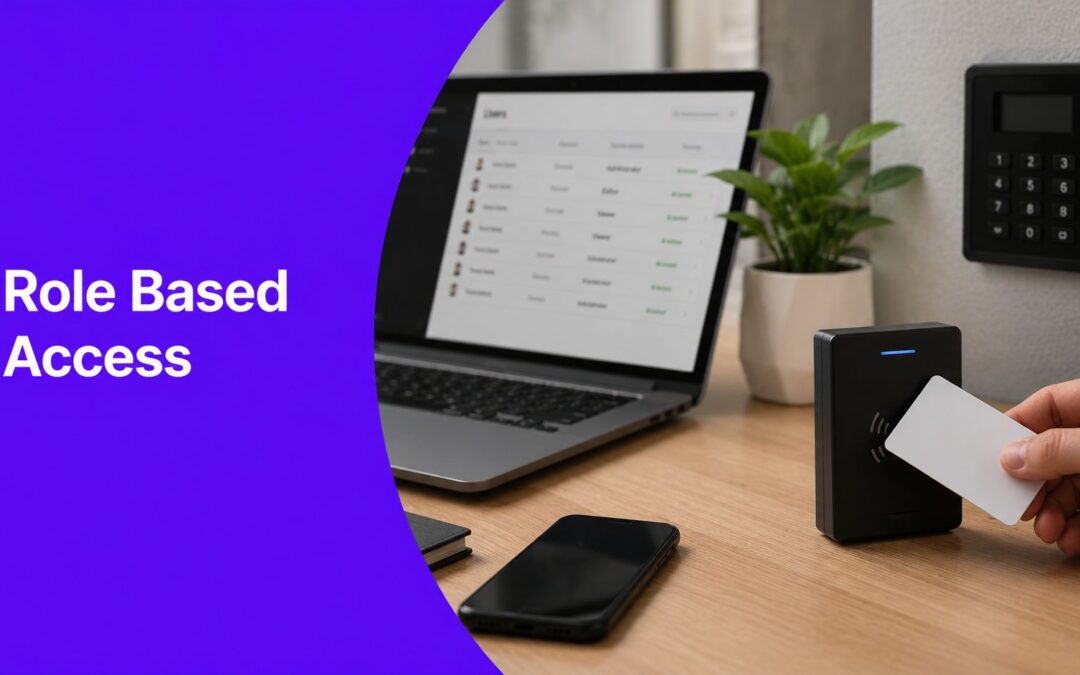
That tension is exactly where Role Based Access Control becomes useful. It sounds like enterprise security jargon, but the idea is simple. Group people by what they need to do, then assign access to the group instead of the individual. That gives you a cleaner WordPress setup, fewer mistakes, and much better control over what people can see and change.
Why Managing User Access Matters on Your Divi Site
A Divi site often starts simple. One owner, one login, maybe one freelancer. Then the site grows.
You add a blog. Now writers need access. You launch a shop. Now someone handles orders. You build a members area. Now customers log in, and some content should stay hidden from guests. At that point, user access stops being a small admin detail and starts affecting security, workflow, and the actual experience visitors get.
Access problems usually start with convenience
Most permission problems don't come from bad intent. They come from shortcuts.
A site owner gives someone full admin access because they “just need to help for a minute.” That minute turns into months. Someone changes a global setting by accident. A contractor keeps access long after the job is done. A customer-facing site accumulates more privilege than it needs.
Practical rule: If a person only needs to do one job on the site, they shouldn't have access to everything else.
That matters on WordPress because the admin area mixes high-impact settings with everyday content tasks. Editing a blog post and changing a plugin configuration live in the same backend. Without clear boundaries, people end up closer to sensitive controls than they should be.
Why this is bigger than WordPress
Role Based Access Control has moved far beyond niche IT teams. Fortune Business Insights says the global RBAC market is valued at USD 14.29 billion in 2026 and projected to reach USD 40.35 billion by 2034, and that over 70% of enterprises rely on RBAC frameworks to manage access across applications, databases, and cloud environments, as noted in this RBAC market overview from Fortune Business Insights.
That doesn't mean your Divi site needs enterprise complexity. It does mean the basic idea is proven. The same logic that helps large organizations control access also helps a small WordPress team avoid chaos.
For site owners thinking more broadly about hardening WordPress, this fits naturally with other Divi website security practices. Good access control is one of the quiet controls that prevents bigger problems later.
The practical payoff
When access is managed well, three things get easier:
- Security improves because fewer people can reach sensitive settings.
- Operations get cleaner because onboarding a new writer or assistant is predictable.
- Personalization gets better because the site can show different content to different user types.
That last point is where this gets especially useful for Divi users. Access control isn't only about restricting the backend. It can also shape what people see on the front end.
What Exactly Is Role Based Access Control
At its core, Role Based Access Control means you assign permissions to a role, then assign users to that role.
You don't decide from scratch what every person can do. You define a reusable job pattern. Then you attach people to that pattern.
A simple mental model helps.
Think in keycards, not individuals
A hotel doesn't create a brand-new security policy for every housekeeper, receptionist, and guest. It creates access profiles.
Housekeeping can enter certain rooms. Front desk staff can access booking systems. Guests can open only their own room and maybe the gym. The hotel manages access by role, not by personal negotiation.
That's what RBAC does in software.

The three moving parts
RBAC becomes much less mysterious once you separate it into three pieces:
- Users are real people or accounts that need access.
- Roles describe job functions like Administrator, Editor, Shop Manager, or Subscriber.
- Permissions are the allowed actions, such as editing posts, moderating comments, or managing plugin settings.
In WordPress terms, the model looks like this:
| Element | Plain meaning | Divi site example |
|---|---|---|
| User | A person with an account | Your content writer |
| Role | A bundle of responsibilities | Author |
| Permission | A specific allowed action | Edit own posts |
The important shift is this. Permissions don't live directly on the person unless you deliberately customize things that way. They usually flow through the role.
Why the model became so influential
The idea has deep roots. A foundational NIST report from 1992 argued that RBAC could apply to 30% to 50% of employees in service-sector organizations and 10% to 25% in nonservice sectors, helping establish it as a scalable way to reduce admin overhead by assigning permissions to roles rather than individuals, as described in the NIST RBAC economic impact report.
That early estimate mattered because it framed RBAC as practical, not academic. The model worked best where many people shared recurring job functions. That sounds a lot like WordPress teams, agencies, editorial workflows, and membership sites.
If you want a broader view of how organizations approach identity and permissions beyond WordPress, this overview of secure access for Saskatchewan businesses is useful because it shows how role-driven access fits into day-to-day IT operations.
A quick walkthrough can help lock the concept in:
Why this feels easier in practice
Without RBAC, each new account becomes a custom permission puzzle. With RBAC, onboarding is closer to assigning a seat on a team.
Give the user the role that matches the job. Don't rebuild access from scratch every time.
That's why WordPress defaults are so effective for many sites. Administrator, Editor, Author, Contributor, and Subscriber are already role containers. You can refine them later, but the architecture is there from the start.
For a Divi user, the biggest takeaway is simple. RBAC isn't an abstract security framework. It's a repeatable way to control who can touch what, both in the dashboard and, with the right tools, on the front end too.
RBAC Compared to Other Access Models
RBAC isn't the only way to control access. It's just the one that tends to fit WordPress sites best when people's responsibilities are fairly clear.
If you've ever wondered why some permission systems feel messy and others feel structured, the difference usually comes down to where the control logic lives.

ACLs work object by object
An Access Control List, or ACL, attaches permissions to a specific resource. Think of a file, page, folder, or endpoint with its own list of who can read, write, or modify it.
That can be useful when you need highly specific control over one object. But at site scale, it gets tiring. If you have lots of content and lots of users, you end up managing exceptions constantly.
A web designer usually feels this as friction. “Why does this one user have access to these six things but not those five?” ACL-heavy systems can answer that, but they often become hard to reason about.
DAC and MAC come from different assumptions
Discretionary Access Control, or DAC, puts control in the hands of the resource owner. If I own the file or document, I can decide who gets access. That sounds flexible, but it can produce inconsistent rules because different people make different decisions.
Mandatory Access Control, or MAC, is much stricter. Access depends on centrally enforced security classifications. This model makes sense in highly controlled environments, but it's usually more rigid than what a typical Divi or WooCommerce site needs.
ABAC is powerful but more demanding
Attribute Based Access Control, or ABAC, makes decisions using conditions about the user, the resource, and the context. For example, a system might allow access only if the user is in marketing, on a managed device, and working during approved hours.
That's powerful. It's also harder to design and debug.
For many WordPress sites, ABAC is more sophistication than the team can realistically maintain. You don't just need the rule. You need a way to define, evaluate, and troubleshoot those attributes every time someone requests access.
Access control models compared
| Model | Core Logic | Best For |
|---|---|---|
| RBAC | Users get permissions through job-based roles | WordPress sites with clear user types like admins, editors, authors, and members |
| ACL | Each object keeps its own permission list | Small-scale object-specific control |
| DAC | Resource owners decide who gets access | Flexible sharing where central consistency matters less |
| MAC | Central policy enforces strict clearance rules | High-security environments with formal classifications |
| ABAC | Rules evaluate attributes and context at runtime | Complex systems needing dynamic, conditional access decisions |
Why RBAC usually wins on a Divi site
A Divi build usually has recognizable user groups. Admins manage the site. Editors manage content. Customers buy. Members log in. Designers may need layout access but not store controls.
That structure maps naturally to roles.
RBAC shines when the question is “What kind of work does this person do?” rather than “What should this one person be allowed to touch on this one object?”
That doesn't make RBAC perfect. It makes it practical. And practical usually beats elegant-but-unwieldy when you're maintaining a live WordPress site for clients or customers.
RBAC Design and Security Best Practices
Using roles is a good start. Designing them badly creates a different kind of mess.
A strong RBAC setup is less about piling on more roles and more about choosing the right boundaries. You want a system people can understand, maintain, and audit without guessing.

Start with business functions
The cleanest roles come from real responsibilities, not from plugin menus.
“Editor” is a useful role because it describes a job. “Can-edit-blog-and-one-custom-post-type-but-not-export-tools” is a permission accident waiting to happen. When roles reflect business functions, the system stays easier to reason about.
NIST's definition of RBAC also notes that permissions can flow through a role hierarchy, where senior roles inherit junior-role privileges. That matters because inheritance reduces repetitive admin work and makes policies easier to scale across larger teams.
Least privilege is the default posture
The principle of least privilege means a user gets only the access needed to do the job. Nothing extra “just in case.”
On a Divi site, that often means:
- Writers create content without touching theme settings.
- Store staff handle orders without editing user roles.
- Clients review pages without gaining plugin management rights.
That sounds restrictive, but it lowers the chance of accidental damage. Most backend mishaps on WordPress aren't attacks. They're honest mistakes made by people who had more access than they needed.
Separate duties when actions could conflict
Some permissions shouldn't live together.
If one user can both publish and approve a sensitive workflow, or create and validate the same business action, you remove a natural checkpoint. Separation of duties keeps one account from controlling every step of a critical process.
For WordPress, that can mean keeping content production, approval, and site administration distinct when the site supports a team workflow.
Design cue: If one role can create, approve, and configure the whole process, ask whether you've combined convenience with unnecessary risk.
Avoid role sprawl
One of the biggest design risks in RBAC is excessive granularity. Pathlock's guidance warns that overly fine-grained permissions make role engineering brittle and harder to manage, and recommends defining permissions at meaningful business-operation boundaries rather than micro-actions in its RBAC design guidance.
That's a useful warning for WordPress too. It's tempting to create tiny custom roles for every exception:
- Temporary contractor with one odd permission
- Seasonal support user with a slightly different dashboard
- Client reviewer who can edit only one thing in one area
If you keep solving edge cases by minting another permanent role, the model starts collapsing under its own detail.
Review and maintain the model
Roles aren't set-and-forget. Teams change. Plugins add capabilities. A site that made sense six months ago can drift into over-permissioned territory.
A simple review habit helps:
- Check active users and confirm they still need their current role.
- Compare roles to real jobs instead of historical convenience.
- Trim old exceptions that became permanent by accident.
- Use security plugins wisely as part of a broader control strategy, especially if you're already evaluating WordPress security plugins for protecting your site.
The goal isn't perfection. It's clarity. A role model that the site owner can explain in plain English is usually much safer than one that only makes sense after digging through custom capability settings.
How to Implement RBAC on Your Divi Website
WordPress already gives you a role based access control system out of the box. You're not starting from zero.
The default roles are familiar, but it helps to think about them through the lens of workflow instead of labels.
Know what the built-in roles are for
Most Divi site owners will run into some version of these default WordPress roles:
- Administrator handles site-wide settings, plugins, themes, and users.
- Editor manages content broadly across the site.
- Author writes and publishes their own posts.
- Contributor writes but doesn't publish.
- Subscriber usually has the lightest access, often tied to login-based experiences.
That's already a usable RBAC structure for many websites. If your site has a blog, a store, or a basic member area, these defaults cover a lot.
The mistake is treating them as social labels instead of access containers. “Editor” shouldn't go to someone because they're trusted in general. It should go to someone because they need editor-level actions.
Customize only where the workflow demands it
Sooner or later, the defaults won't match perfectly.
Maybe your WooCommerce assistant needs order-related access but not general site administration. Maybe a client should review content but never edit templates. Maybe a support contractor needs limited access for a short period.
That's where role customization plugins come in. They let you create or modify roles without hacking WordPress core behavior. The important part is restraint. Keep the core role model coarse enough that it stays understandable.
IBM's implementation guidance points out that mature RBAC setups often handle exceptions with time-limited access or just-in-time access granting rather than permanent ad hoc roles, as explained in its RBAC implementation guidance. That's a smart pattern for WordPress too. If someone needs increased access for one urgent task, don't turn that exception into a permanent role unless the need is recurring.
Use roles for front-end personalization
Here, Divi users can get extra value from RBAC.
Roles don't have to stop at backend permissions. They can also control what people see on the front end. That means you can tailor sections, calls to action, navigation, and promotional content based on who is logged in.
For example:
- A Subscriber sees a members-only welcome bar.
- An Editor sees a dashboard shortcut panel after login.
- A logged-out visitor sees a signup prompt instead of premium content.
- A customer role sees account-specific promotional messaging.
That turns access control into a design tool, not just a security feature.

A practical implementation pattern
If you're building this into a real Divi workflow, keep it simple:
List your user types
Write down the actual groups on the site. Admin, client, editor, customer, member, support, wholesale buyer, and so on.Match each group to a purpose
Ask what each group needs to do, not what they might need someday.Use the closest standard role first
Don't create custom roles until a real workflow gap appears.Handle one-off needs as exceptions
If a contractor needs temporary privileged access, time-box it and remove it after the task.Connect roles to content visibility
Show different sections, offers, or prompts based on login state and user role.
The cleanest Divi implementations treat roles as both a permission system and a personalization layer.
Where this shows up in everyday Divi work
A few concrete examples make the pattern easier to see:
| Site type | Role use in backend | Role use on front end |
|---|---|---|
| Membership site | Limit who can manage content | Show premium sections only to logged-in members |
| WooCommerce store | Separate order handling from site administration | Display account offers to logged-in customers |
| Agency client site | Give clients limited review access | Show private resources after login |
| Editorial site | Distinguish writers from editors | Surface role-specific tools or notices after login |
If you're creating login-driven experiences, a polished entry point matters too. A custom Divi login form popup can make the role-aware parts of your site feel intentional instead of bolted on.
The broader lesson is that WordPress roles already give you the structure. Your job is to align that structure with how the site operates. Once you do that, both security and user experience get cleaner.
Unlocking a More Secure and Efficient Website with RBAC
Role Based Access Control works because it matches how teams operate. People usually don't need random slices of your site. They need access that fits a job.
That one shift changes a lot. You stop thinking in terms of “Which boxes should I check for this person?” and start thinking “What role should this person have?” The result is less admin overhead, fewer accidental changes, and a site that's easier to maintain as more people get involved.
For Divi users, the benefit goes beyond backend safety. Roles can also shape the front-end experience. That opens the door to cleaner member areas, smarter offers, gated content, and more targeted interactions without turning the site into a tangle of special cases.
NIST also notes that role permissions can be inherited through a role hierarchy, so senior roles can include junior-role privileges automatically. That reduces per-user permission administration and helps policy scale more cleanly in larger organizations, as defined in the NIST glossary entry for role based access control.
That same principle translates well to WordPress thinking. Build a clear structure once. Reuse it consistently. Don't redesign access every time a new user shows up.
A better Divi site isn't only faster or prettier. It's also easier to govern. RBAC helps you get there.
If you want to turn role-aware design into something practical on your Divi site, Divimode gives you the tools and tutorials to build targeted popups, conditional content, login-driven experiences, and polished user interactions without fighting your workflow.
More Articles You Will Like