 Alex Martin
A web design proposal template is your secret weapon. It’s a reusable document that lays out the project scope, what you'll deliver, the timeline, and the costs. It's designed to save you countless hours of work while making sure you present a professional, consistent pitch to every single potential client. Think of it as a blueprint you can quickly customize to create a compelling offer that speaks directly to a prospect’s needs, without starting from a blank page every time.
Your Proposal Is More Than a Document—It’s a Sales Tool

Let’s be real: spending hours crafting a beautiful, detailed proposal only to get ghosted is one of the most frustrating parts of this job. Too many designers treat the proposal like a final step—a simple price tag. But that mindset completely misses its true power. Your proposal isn't just a document; it's your most valuable sales asset, working for you long after the discovery call is over.
A strategic, client-focused web design proposal template flips the script entirely. Instead of just listing what you do, it frames your work as the solution to your client's biggest business problems. It anticipates their questions, builds trust right away, and positions you as an expert who gets their goals on a much deeper level.
From Quote to Conversion Tool
The key is to get away from just listing features. For a Divi project, that means you don't just mention "popup creation." You explain how Divi Areas Pro popups will capture leads and grow their email list. It’s all about connecting every single deliverable directly to a business outcome they actually care about.
This approach turns your proposal into a conversation that keeps going even when you're not in the room. A well-structured template helps you tell that same compelling story, every time. It proves you listened carefully and can translate their vision into a tangible, high-value website.
A great proposal doesn't just sell a website; it sells a business solution. It answers the client's unspoken question: "Why should I trust you over everyone else?"
Thriving in a Competitive Market
The web design industry is absolutely booming, and that means competition is fierce. The global market is projected to hit $61.23 billion in revenue by 2025. In such a crowded space, a polished, strategic pitch isn't just nice to have—it's non-negotiable. I’ve seen high-end proposal templates help close over $20 million in deals, which just proves that a data-backed, value-driven approach is what wins clients.
This guide gives you a reusable framework built specifically for the Divi ecosystem. By mastering your proposal process, you won’t just save time; you'll dramatically improve your ability to turn interested prospects into long-term partners. If you're still building your client list, our guide on how to find clients for your online startup business offers some great strategies to get you started.
The Core Components of a High-Converting Proposal
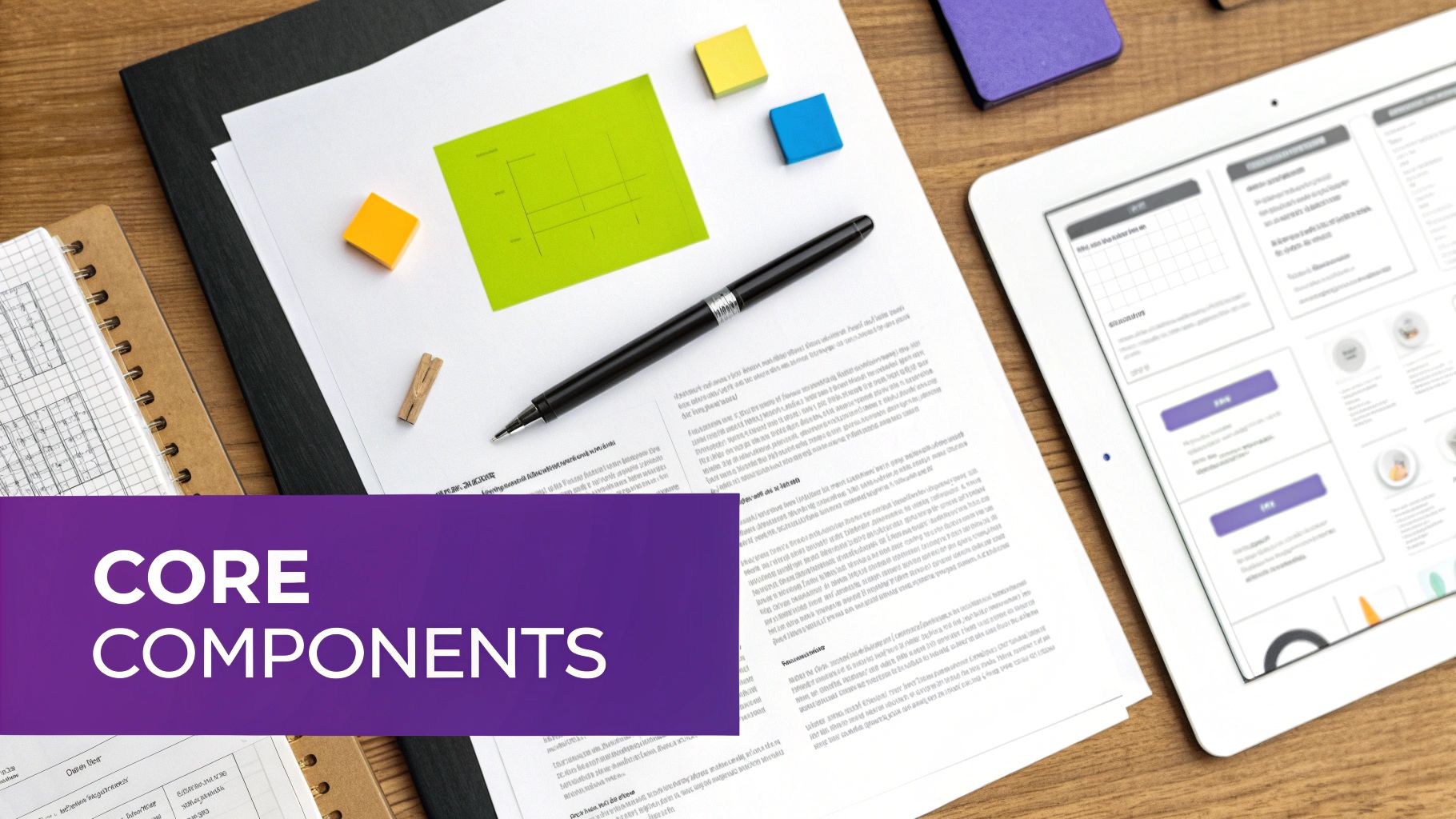
A great web design proposal is more than a price tag attached to a list of services. It’s a story. It’s your chance to walk a potential client from the problems they’re facing right now to the exact solution you're ready to build for them.
Each section needs to do its job, building on the last to make a case so compelling that saying "yes" feels like the only logical next step. To get there, you need a solid structure that manages expectations and clearly spells out the value you bring to the table. Let’s break down what that looks like.
Here's a quick look at the core sections every proposal should have and what each one is meant to accomplish.
Core Proposal Sections and Their Purpose
| Section Name | Primary Goal | Key Information to Include |
|---|---|---|
| Goals and Challenges | Show you understand their problem. | Synthesize discovery call notes into measurable goals and specific business obstacles. |
| Proposed Solution | Connect your services to their goals. | Detail how your Divi-based approach will solve their challenges and deliver tangible benefits. |
| Project Scope & Deliverables | Set clear boundaries. | List exactly what's included (and not included) to prevent future scope creep. |
| Timeline | Manage expectations on delivery. | Provide a phase-by-phase breakdown with clear milestones from start to finish. |
| Investment & Terms | Justify the cost and formalize the agreement. | Break down the pricing, outline payment terms, and include essential contract clauses. |
These sections form the backbone of a proposal that not only looks professional but also actively works to close the deal for you.
Goals and Challenges Summary
This is where you prove you actually listened during your discovery call. Don't just copy and paste your notes; show them you get it. You need to reframe their pain points into clear goals and the roadblocks they mentioned into challenges you're ready to tackle.
For instance, don't just say, "Client needs a better website." Go deeper.
- Goal: Increase qualified online leads by 30% in the next six months.
- Challenge: The current site has a high bounce rate and no clear calls-to-action, so potential customers are leaving without ever making contact.
See the difference? This approach instantly positions you as a strategic partner, not just a Divi implementer.
The Proposed Divi Solution
Now you draw a straight line from their problems to your solution. This is where you translate the technical "what" into the business "why." For us Divi designers, it’s the perfect spot to show off the power of the Divi ecosystem.
Don’t just list a bunch of plugins. Frame it as a strategic plan.
- For Lead Generation: "To fix the conversion issue, we'll use Divi Areas Pro to create targeted popups that appear on exit-intent. This will let us capture visitor information right before they leave, turning bounced traffic into valuable leads."
- For User Experience: "To make the WooCommerce store easier to navigate, we'll design a dynamic mega menu. This will help shoppers find products faster and smooth out the path to checkout."
This method shows precisely how your tools solve their real-world business problems. It’s how you justify your pricing and stand out from the crowd.
Always remember: clients don't buy "web design." They buy what web design does for their business—more leads, higher sales, a stronger brand. Frame every piece of your solution around those outcomes.
Project Scope and Deliverables
Clarity here is everything. This is your best defense against scope creep. Be brutally specific about what’s included and, just as crucial, what is not included. Think of it as drawing the lines on the playing field before the game starts.
A well-defined scope might look something like this:
- Discovery & Strategy Session: A two-hour workshop to lock in project goals and user personas.
- UI/UX Design: Wireframes and high-fidelity mockups for five key pages (e.g., Home, About, Services, Blog, Contact).
- Divi Development: Building the five approved page designs using custom, responsive Divi templates.
- Launch & Handover: Final testing, migration to the live server, and a one-hour training session on how to update the site.
Make sure to explicitly state that things like ongoing SEO, blog content writing, or licenses for third-party plugins are outside this scope. It sets clear expectations and opens the door for future work.
A Transparent Timeline
Clients want to know what to expect and when. A realistic timeline shows you have a handle on the project and respect their time. Break it down into phases with clear milestones so they can see progress being made.
Example Timeline Breakdown:
- Weeks 1-2: Discovery and UI/UX Design
- Weeks 3-5: Divi Development and Content Integration
- Week 6: Revisions and Client Feedback
- Week 7: Final Testing and Launch
This simple roadmap keeps everyone on the same page and holds both you and the client accountable.
The Investment Section and Terms
Time to talk money. Don't just drop a single number and hope for the best. Break down the cost to show where the value is. You can do this by phase or by offering tiered packages (e.g., Starter, Growth, Premium) to give the client a sense of control.
This section is also where you formalize the agreement. While you’re outlining services and costs, it’s smart to understand the basic principles of contract formation to make sure your proposal lays a solid foundation for the project.
You can also use this section to add value with data. For example, did you know that 70% of small businesses have no clear call-to-action (CTA) on their homepage? You can propose a direct fix, like using Divi Areas Pro to add personalized CTAs, and back it up with a stat. This data-driven approach shows you’re focused on getting them a return on their investment, making the price an easier pill to swallow.
How to Define a Scope That Prevents Scope Creep
We’ve all been there. A client asks, "Can you just add one more page?" and suddenly you're spiraling. That seemingly small request snowballs into weeks of unpaid work, blown deadlines, and a strained relationship. This is scope creep, the silent killer of project profitability.
Your single best defense is a rock-solid scope of work in your web design proposal template. This isn't about being rigid or difficult. It’s about setting clear boundaries from day one that protect both you and your client.
Think of it as the project's constitution. It’s the single source of truth everyone agrees on before a single line of code is written or a pixel is pushed. Crystal-clear expectations prevent misunderstandings down the road and keep everyone aligned on what "done" actually looks like. The goal is to be incredibly specific and leave zero room for assumptions.
Breaking Down the Project into Phases
An entire website build can feel overwhelming to a client. Breaking it down into distinct phases makes the project feel manageable and gives both of you clear checkpoints to celebrate progress.
For a typical Divi website, I like to structure the project into logical stages, each with its own set of tangible deliverables.
Here’s a simple structure you can adapt:
- Discovery & Strategy
- UI/UX Design
- Divi Development
- Launch & Training
This phased approach transforms an abstract concept like "building a website" into a tangible, step-by-step process. In your proposal, list these phases and use bullet points to detail exactly what you'll produce in each one. Solid web development project planning is the foundation here, ensuring each phase builds logically on the last.
Defining Concrete Deliverables for Each Phase
This is where the rubber meets the road. Vague promises are a breeding ground for scope creep. Don't just say "website design." Instead, specify the exact number of pages, the fidelity of the mockups, and what features are included.
Get granular.
Phase 1: Discovery & Strategy
The goal here is to build a solid foundation for everything that follows.
- Deliverable Example: One 90-minute kickoff workshop to define business goals, nail down target audience personas, and set key performance indicators (KPIs).
- Deliverable Example: A complete sitemap outlining the full website architecture and user flow.
Phase 2: UI/UX Design
This is all about the look, feel, and user experience of the site.
- Deliverable Example: Wireframes for 3 key pages (e.g., Homepage, About Page, Contact Page) to lock in layout and structure before design begins.
- Deliverable Example: One high-fidelity, full-color mockup of the Homepage for client approval before we touch Divi.
Phase 3: Divi Development
Now we bring the approved designs to life using the Divi builder.
- Deliverable Example: Development of 5 custom Divi page templates based on the approved designs.
- Deliverable Example: Integration of a standard contact form with up to 7 fields, configured to send submissions to the client's email address.
Phase 4: Launch & Training
The final handoff where you empower your client to take the reins.
- Deliverable Example: Full migration of the completed website from our staging server to the client's live hosting environment.
- Deliverable Example: One 60-minute recorded video training session showing the client how to edit text, swap images, and manage blog posts within Divi.
This level of detail leaves absolutely no doubt about what the client gets for their investment.
The Power of Defining What Is Not Included
Just as important as listing what you will do is clearly stating what falls outside the project scope. This isn't about being negative; it's about managing expectations and creating opportunities for future work.
Think of your "Exclusions" section as a friendly but firm fence around the project. It protects your time and profitability while educating the client on the value of services they might need later.
Your "Outside of Scope" section should be a non-negotiable part of your web design proposal template. Here are some critical items I always include:
- Content Creation: "This proposal assumes all website copy, images, and other media will be provided by you, the client. Copywriting, stock photo sourcing, and video production are not included."
- Ongoing SEO: "We build all our sites using SEO best practices (e.g., proper heading structure, mobile-first design), but a dedicated SEO campaign or ongoing optimization is not part of this project."
- Plugin & Font Licensing: "The cost of any premium plugin licenses or commercial fonts required for the design is not included in this proposal and will be billed separately with your approval."
- Hosting & Domain: "The client is responsible for purchasing and maintaining their own web hosting and domain name. We are happy to provide recommendations."
- Major Revisions: "This scope includes two rounds of revisions per deliverable. Any additional revisions or significant changes to features after final approval will require a separate change order and will be billed at our standard hourly rate."
By outlining these exclusions upfront, you preemptively answer client questions and avoid awkward conversations about extra costs later. It shows you're a thorough professional who has thought through every detail, building trust and setting the stage for a smooth, profitable project.
Pricing Your Divi Projects for Maximum Profit
Let's talk about the part of the proposal that causes the most stress: the price. Nailing down your pricing can feel like a total shot in the dark. Are you charging too much? Not enough? It's a question every single one of us has asked.
But getting this right is more than just about your income. Your pricing sends a powerful message about the value you deliver. When you get it right in your web design proposal template, it builds instant confidence and sets your business up for long-term success.
For most Divi projects, your pricing will fall into one of three buckets. Each has its place, and knowing when to use which is the real secret to maximizing your profit.
Choosing Your Pricing Model
The best model really depends on the project's complexity and the client's needs. A one-size-fits-all approach is a recipe for leaving money on the table or, worse, losing your shirt on a project that spirals out of control.
- Hourly Rate: This is the simplest way to go. You track your hours and send an invoice. It's a great fit for small, unpredictable tasks or ongoing maintenance where the scope is a bit of a moving target. The big downside? You're penalized for being efficient. The faster and better you get, the less you earn for the same task.
- Fixed-Price: Here, you quote one flat fee for the entire project based on a super-clear scope of work. Clients love this because it gives them predictability, which is a huge selling point. The risk falls on you, though. If you underestimate the time it'll take, your profit margin takes a direct hit. This works best for projects with a rock-solid, well-defined scope.
- Value-Based: This is where the real money is, but it requires a shift in mindset. You're not pricing your time; you're pricing the outcome and the return on investment (ROI) your work delivers. If you're building a complex WooCommerce site that's projected to boost a client's sales by $100,000, you can command a fee that reflects that value—something an hourly rate would never touch.
So, for a simple brochure site with a set number of pages, a fixed-price model is perfect. But for that big e-commerce project with custom Divi functionality? Value-based pricing lets you capture a fair share of the massive value you're creating.
Comparing Web Design Pricing Models
Choosing the right pricing strategy can feel daunting. This table breaks down the most common models to help you decide which approach is the best fit for your next project, weighing the pros and cons of each.
| Pricing Model | Best For | Pros | Cons |
|---|---|---|---|
| Hourly Rate | Small tasks, ongoing support, projects with unclear scope. | Simple to calculate; ensures you're paid for all time spent. | Penalizes efficiency; clients may fear runaway costs. |
| Fixed-Price | Well-defined projects with a clear scope of work (e.g., brochure sites). | Predictable for both you and the client; encourages efficiency. | Risk of under-pricing; vulnerable to scope creep. |
| Value-Based | Complex projects with a measurable business impact (e.g., e-commerce, lead generation). | Highest profit potential; positions you as a strategic partner. | Requires more discovery and confidence to sell the value. |
Ultimately, the best model aligns your compensation with the value you provide and the nature of the project itself. Don't be afraid to mix and match as you gain more experience.
Presenting Pricing with Tiered Packages
Instead of just dropping a single number on your client, try presenting your pricing in tiered packages. This is a game-changer. It instantly shifts the client's mindset from "Can I afford this?" to "Which option is best for me?"
It's a simple psychological trick that gives clients a sense of control and often nudges them toward a higher-priced option without you having to do any hard selling.
Here's a sample format you can easily adapt for your own web design proposal template:
| Feature | Starter Package | Growth Package (Most Popular) | Premium Package |
|---|---|---|---|
| Custom Divi Pages | Up to 5 Pages | Up to 10 Pages | 15+ Pages |
| Responsive Design | ✔️ | ✔️ | ✔️ |
| Basic SEO Setup | ✔️ | ✔️ | ✔️ |
| Blog Integration | ❌ | ✔️ | ✔️ |
| E-commerce Setup | ❌ | Basic Store | Advanced Store + Integrations |
| Divi Areas Pro Popups | ❌ | 1 Lead Gen Popup | 3 Targeted Popups |
This format is clean, scannable, and makes it incredibly easy for the client to see the value they get by moving up to a higher tier.
Justifying Your Price with ROI
Your proposal becomes ten times more powerful when you can connect your price to the client's return on investment. With studies showing a potential ROI of up to 9,900% from a great user experience, you have a strong case to make. Don't just sell a website; sell the results.
Explain how a better-designed checkout process built with Divi can slash cart abandonment rates. Show them how an intuitive interface can double their conversions.
A proposal that focuses on outcomes, not just deliverables, transforms the conversation from cost into investment. Frame your Divi expertise as the engine for their business growth.
Of course, project pricing is only one part of the profitability puzzle. You also need to think about your business structure. Asking questions like should I incorporate my business can lead to decisions that reduce your tax burden and protect your personal assets, ensuring you keep more of the money you work so hard to earn.
Presenting the Proposal to Close the Deal

You’ve poured hours into crafting the perfect proposal. You’ve defined the scope, mapped out a brilliant Divi solution, and priced it for profit. Now what?
If your next move is to attach that masterpiece to an email with a subject like "Web Design Proposal" and hit send, you’re making a huge mistake.
Just emailing your web design proposal template and hoping for the best is a massive missed opportunity. It reduces all your hard work and strategic thinking down to a price tag, inviting your potential client to scroll straight to the bottom and make a decision based on cost alone.
A great proposal deserves a great presentation. This is your final shot to reinforce your expertise, build rapport, and steer the conversation toward value, not price. The goal is to close the deal, and a live walkthrough is your single most powerful tool to make that happen.
Ditch the PDF Attachment and Schedule a Live Walkthrough
I'm going to say this as clearly as I can: always insist on presenting your proposal in a live meeting. It could be in person, but these days, it's usually a video call. This isn’t about being difficult; it’s about controlling the narrative and making sure your message lands exactly as you intended.
When you just email a document, you lose all control. The client might be distracted, skim key sections, or completely misinterpret your solution. They can't ask clarifying questions in the moment, and that silence often leads to confusion or wrong assumptions.
A live call transforms the proposal from a static document into a dynamic conversation. It gives you the chance to:
- Guide their focus and walk them through your thought process, step by step.
- Read their reactions and address hesitations or concerns in real-time before they fester into deal-breakers.
- Reinforce the value by connecting every single deliverable directly back to their business goals.
How to Structure the Presentation Call
Your walkthrough call shouldn't just be you reading the proposal out loud. It needs a strategic structure designed to build excitement and confidence. Think of yourself as a trusted guide leading them to a solution they can’t wait to get started on.
1. Reiterate Their Goals First
Start the call by immediately focusing on them, not you. Briefly recap the primary business goals and challenges you uncovered during your discovery calls. This instantly shows you were listening and frames the entire conversation around solving their problems.
2. Present Your Solution as the Answer
Next, connect your proposed solution directly to those goals. Don’t just list features; explain why you chose a specific Divi tool for the job. For example, say something like, "To solve your lead generation problem, we're going to implement an exit-intent popup with Divi Areas Pro, which is proven to capture visitors right before they leave."
3. Walk Through the Logistics
Once you’ve sold them on the vision, then you can move into the project scope, timeline, and investment. By this point, the price is no longer just a number; it’s the investment required to achieve the valuable outcomes you’ve already discussed.
Never present the price without first establishing the value. The walkthrough call ensures you build a strong foundation of value before the client ever sees the cost.
Professional Follow-Up and Defining Next Steps
The call shouldn't end without a clear path forward. Your goal is to make saying "yes" as easy and frictionless as possible. Before you hang up, summarize the discussion and outline the exact next steps.
This might sound like: "Great! I'm so excited to get started. I'll send over a summary of our call right now, along with the link to accept the proposal. Once that's approved, the next step is to sign the Master Services Agreement and process the deposit invoice, which will officially kick off our project."
This clarity removes friction and keeps the momentum going. After the call, send that follow-up email immediately while you're still top-of-mind. Include a link to the proposal and reiterate the next actions. This entire process smoothly transitions the client from a prospect to a partner, setting the stage for a successful project.
Trust me, an organized presentation is one of the most important client onboarding best practices you can adopt.
Common Questions About Web Design Proposals
Even with the best template in hand, questions are going to pop up. Your clients will have them, and honestly, you'll probably have a few of your own as you dial in your process. Getting ahead of these common queries with clear, confident answers doesn't just make you look more professional—it makes your entire workflow smoother.
I've put together a quick FAQ to tackle the most frequent sticking points I see Divi freelancers run into. Nailing these down upfront can save a ton of back-and-forth, manage expectations, and get you that much closer to a signed deal.
How Long Should My Web Design Proposal Be?
There's no magic number here, but I've found the sweet spot is usually between 8-12 pages. The goal is clarity, not length. You need enough detail to cover the project goals, your solution, the full scope, timeline, and investment, but it has to be concise enough for a busy client to digest in one sitting.
Remember, you're not writing a novel. You're giving them everything they need to make a decision without burying them in fluff. Use plenty of white space, clear headings, and maybe a chart or timeline to make it scannable. A proposal that respects a client's time is a proposal that actually gets read.
Should I Include a Formal Contract in My Proposal?
This is a big one, and my advice is to always keep your proposal and contract separate. Trying to mash them together often just confuses things and can really slow down the whole approval process.
Here's how I think about it:
- The Proposal is your sales tool. Its job is to sell the client on your vision and the incredible value you're bringing to the table. It’s all about the 'what' and the 'why.'
- The Contract is your legal safety net. Its purpose is to legally bind everyone to the terms, protecting both you and the client. This is where you get into the 'how' and all the 'if/then' scenarios.
Your proposal should wrap up with a crystal-clear call-to-action that leads to the next step: signing the contract. Once you get that verbal or written "yes" on the proposal, then you send over the formal Master Services Agreement. It's a much cleaner, less intimidating two-step process for the client.
Your proposal sells the dream; your contract protects the reality. Let each one do its job.
How Can I Make My Proposal Stand Out From Competitors?
Personalization is your secret weapon. I can guarantee most of your competitors are slinging generic, cookie-cutter templates that feel cold and disconnected. To really stand out, you have to show the client you've actually listened and are genuinely invested in their success.
One of the most powerful things you can do is record a short, personalized video walkthrough. Fire up a tool like Loom, share your screen, and walk them through the key parts of the proposal. Use their name, point out the specific solutions you’ve designed for their unique problems, and let a bit of your personality come through. It's a simple touch that has a massive impact.
Another great trick is to include a small visual mockup. It doesn't have to be a full-blown design—even a quick concept of their new homepage or an interactive element you could build with Divi helps them visualize the end result. It proves you're not just another bidder; you're already thinking like a partner.
Ready to create stunning, interactive popups, fly-ins, and mega menus that convert? Divimode gives you the tools and expertise to build higher-performing Divi websites. Check out our powerful plugins and tutorials at https://divimode.com.
More Articles You Will Like