 Alex Martin
Your website's navigation is more than just a list of links; it's the primary tool visitors use to find what they need, understand your offerings, and take action. A poorly designed menu leads to user frustration and high bounce rates, while a thoughtfully crafted one guides users, showcases your best content, and directly drives conversions. But what separates a standard navigation bar from genuinely cool menu designs that elevate the entire user experience?
This guide moves beyond basic layouts to explore 7 outstanding resources and examples of advanced navigation. We'll examine everything from dynamic Divi mega menus and animated interactions to responsive off-canvas solutions and contextual triggers. Each entry includes screenshots, direct links, and a strategic breakdown of what makes the design effective, ensuring you can find the perfect inspiration for your next project.
We'll break down the "why" behind each design and provide actionable steps to implement these concepts in WordPress using Divi. A special focus will be placed on leveraging Divi Areas Pro to create dynamic, user-aware navigation that adapts to visitor behavior. Achieving truly impactful navigation means prioritizing UX/UI design from the start, ensuring your menu is both beautiful and highly functional. Get ready to transform your site's navigation from a simple utility into a powerful strategic asset.
1. Build a Better Divi Mega Menu with Divi Areas Pro
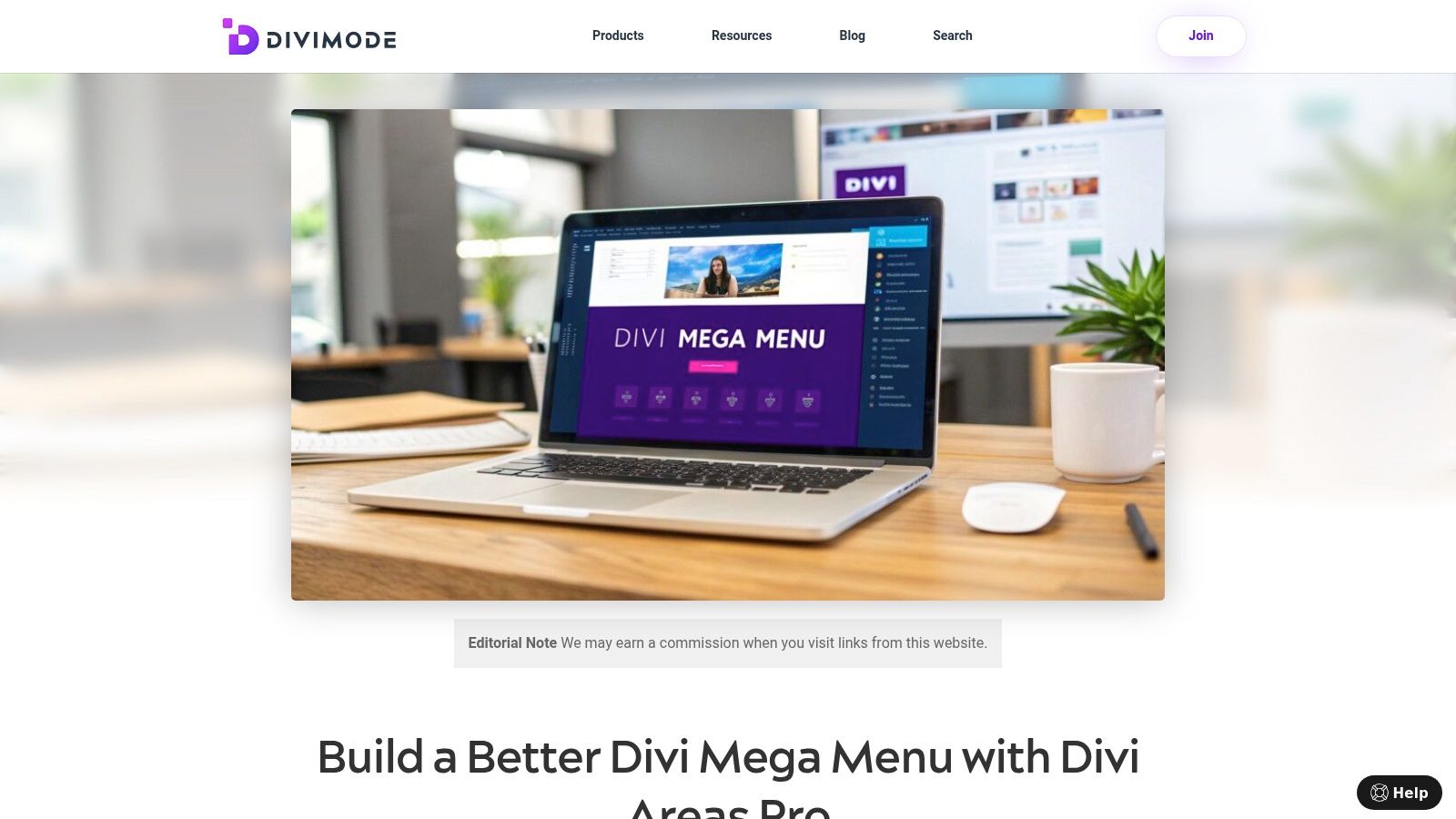
For Divi users aiming to elevate their navigation beyond standard dropdowns, Divi Areas Pro presents a powerful and deeply integrated solution. Instead of being just a simple menu builder, this platform transforms the Divi Builder into a comprehensive hub for creating dynamic, content-rich mega menus. This approach allows designers to build visually compelling navigation panels that genuinely enhance user experience, making it a standout choice for those seeking truly cool menu designs without leaving their familiar Divi environment.
The core strength of Divi Areas Pro lies in its native integration. You design your mega menu layouts directly within the Divi Builder, using any module you wish. This means you can create multi-column structures, embed images and video, insert contact forms, or even feature dynamic content like recent blog posts or WooCommerce products. The creative freedom is immense, allowing for a level of branding and functionality that typical menu plugins cannot match.
Why It Stands Out: Beyond Aesthetics
What truly distinguishes Divi Areas Pro is its intelligent targeting and triggering system. This is where a cool menu design becomes a strategic conversion tool. Instead of showing the same menu to every visitor, you can create hyper-contextual navigation experiences.
- Behavioral Triggers: You can configure a menu to appear not just on click, but based on user actions like scroll depth, time on page, or even exit intent. This is perfect for capturing attention with a last-minute offer or a targeted call-to-action.
- Contextual Targeting: Display unique menus based on the visitor’s context. This includes their device type (desktop vs. mobile), the specific page or post they are viewing, their user role (e.g., logged-in members see different options), or even referral source.
- WooCommerce Integration: For e-commerce sites, this is a game-changer. You can display a custom menu or promotion when a user adds a specific product to their cart or has a certain cart total, creating a seamless and responsive shopping journey.
Strategic Takeaway: The power here is moving from a static, one-size-fits-all menu to a dynamic, personalized navigation system. Use targeting to declutter the user experience, showing only relevant links and calls-to-action, which can significantly boost engagement and conversion rates. For more inspiration on what's possible, check out these excellent mega menu design examples on divimode.com.
Practical Application and Considerations
While the potential is vast, there are practical points to consider. Divi Areas Pro is a premium plugin, and its advanced features introduce a slight learning curve for users unfamiliar with conditional logic. However, the documentation is thorough, and the ability to build everything inside the familiar Divi interface mitigates this complexity.
| Feature | Benefit |
|---|---|
| Native Divi Builder | Design menus with any Divi module for unlimited layout possibilities. |
| Advanced Triggers | Go beyond simple clicks with triggers like hover, scroll, and exit intent. |
| Targeting Rules | Deliver personalized menus based on user role, device, or page context. |
| Developer API | Highly extensible for custom solutions and advanced integrations. |
In summary, Divi Areas Pro is more than just a tool for building pretty mega menus; it is a strategic framework for creating intelligent, conversion-focused navigation. For Divi-based designers and developers, it provides an unparalleled combination of design freedom and marketing automation, making it a top-tier choice for crafting sophisticated and effective website menus.
Learn more at DiviMode.com
2. Envato Elements
Envato Elements isn't a single website showcasing one cool menu design; instead, it's a massive subscription-based library that provides the foundational assets for creating thousands of them. For Divi designers and developers, it's an indispensable toolkit for inspiration, prototyping, and production. It offers unlimited access to millions of creative assets, including a vast selection of menu UI kits, navigation templates, and icon sets that can dramatically accelerate your design workflow.
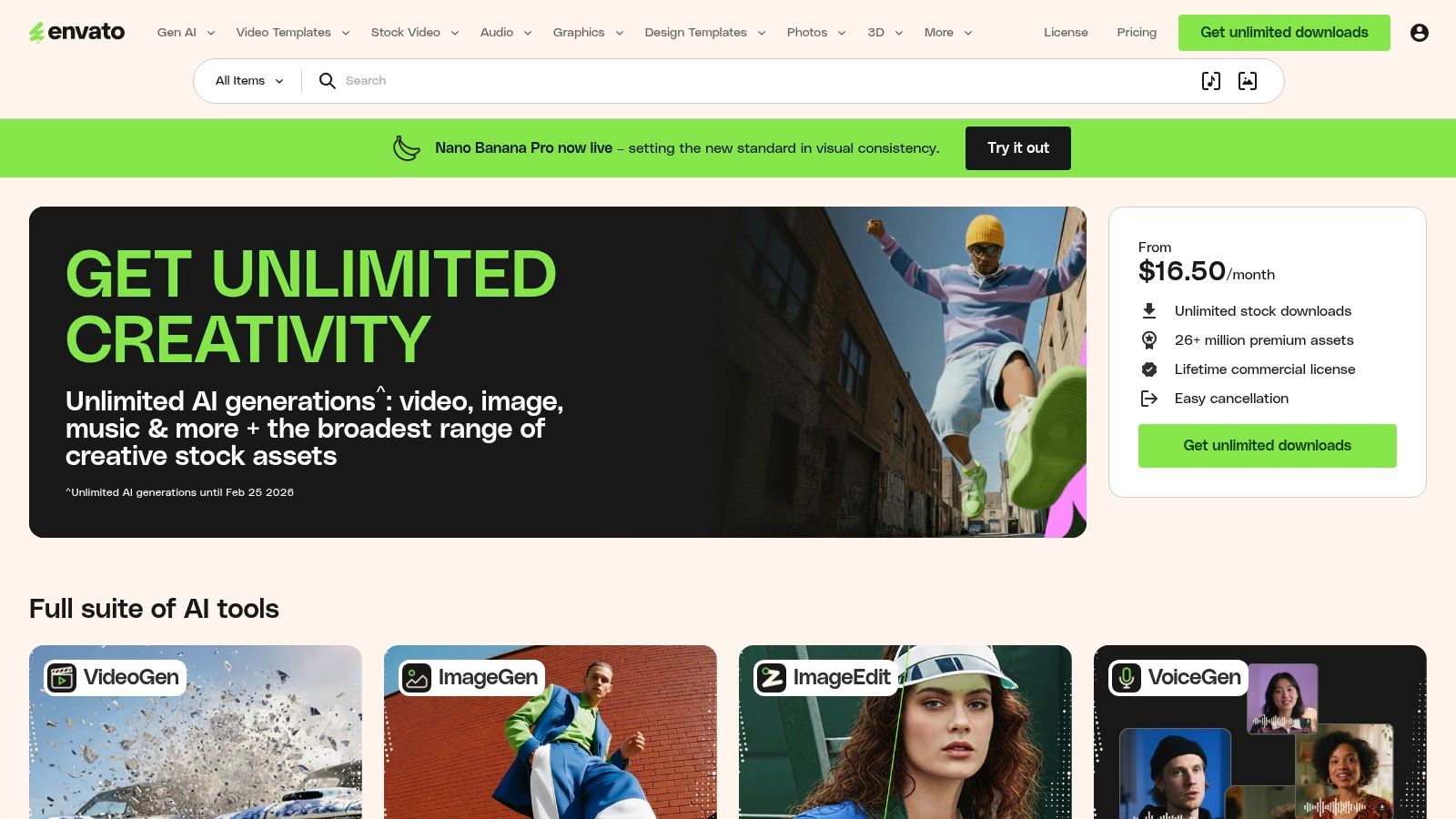
What makes Envato Elements unique is its "all-you-can-eat" model. Instead of purchasing individual assets, a single subscription grants you unlimited downloads. This is perfect for agencies and freelancers who need to experiment with different concepts for client projects without incurring per-item costs. You can download ten different menu UI kits, mix and match elements, and find the perfect style for your project, all under one predictable fee.
Strategic Analysis: Why It's a Go-To Resource
The primary strength of Envato Elements lies in its sheer volume and variety. The platform hosts thousands of professionally designed UI kits for Figma, Sketch, and Adobe XD. These kits often include complete design systems with various menu styles, such as mega menus, mobile off-canvas navigations, and animated hamburger menus.
Key Insight: Using pre-made UI kits from Envato Elements allows you to deconstruct professional designs. You can study the layer structure, spacing, and component states (hover, active, focus) to understand the principles behind cool menu designs and apply them to your custom Divi builds.
Actionable Takeaways & Implementation
For Divi users, the assets from Envato Elements can be used as a direct blueprint. You can replicate the layout, typography, and color schemes of a downloaded UI kit using Divi's modules and the Theme Builder. The icon sets are particularly useful for enhancing your Divi Areas Pro popups and slide-ins.
- Prototyping: Quickly mock up menu concepts in Figma using an Elements kit before building in Divi.
- Asset Sourcing: Find unique icon sets to use for menu item indicators or social links within your navigation.
- Inspiration: Search for "mobile UI kit" or "navigation menu" to see current design trends and patterns you can adapt.
Platform Breakdown
| Feature | Details |
|---|---|
| Pricing Model | Subscription-based (monthly or annual) with unlimited downloads. |
| Access Requirements | Active subscription required for new downloads and licensing. |
| Unique Offering | A single commercial license covers all assets, simplifying usage for client work. |
| Pros | Predictable cost, massive library of high-quality assets, constantly updated with new items. |
| Cons | Asset-level support is not included; evolving policies on generative AI usage need to be monitored. |
Website: https://elements.envato.com
3. Envato Market (CodeCanyon/ThemeForest) — UberMenu example
While Envato Elements offers a subscription, its sibling, Envato Market, operates on a traditional per-item purchase model. Marketplaces like CodeCanyon (for plugins) and ThemeForest (for themes) are treasure troves for finding specific, powerful tools to create advanced menus. A standout example is UberMenu, a long-standing and highly-rated WordPress mega menu plugin that demonstrates the potential of dedicated navigation solutions for Divi users.
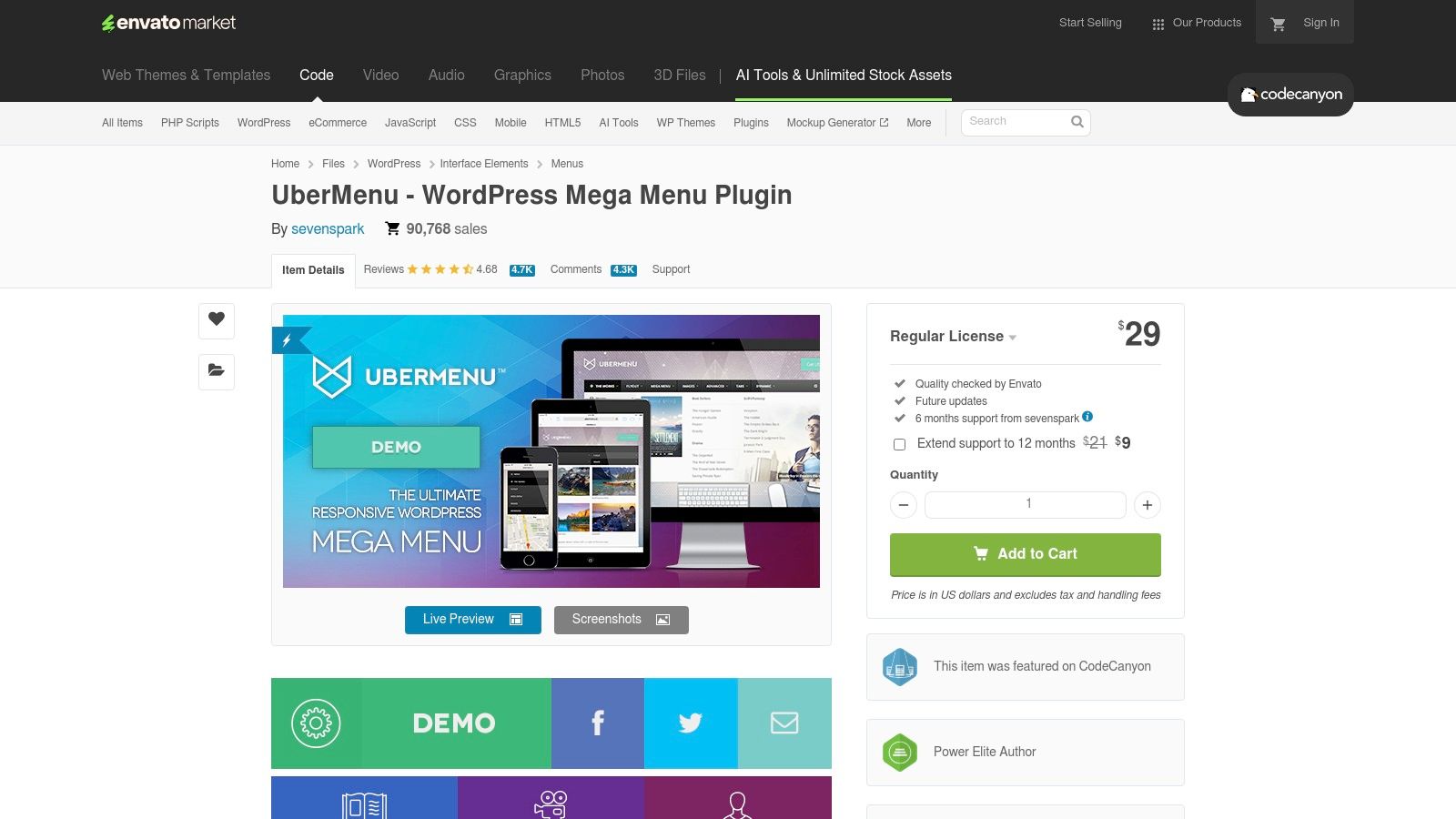
Unlike a general UI kit, a specialized plugin like UberMenu is a production-ready tool designed to integrate directly into WordPress. It provides a visual builder for creating complex layouts with columns, tabs, images, icons, and even shortcodes or widgets. For sites with extensive content, such as e-commerce stores or large blogs, this level of organization is crucial for user experience. The benefit of Envato Market is its transparency; you can see sales figures, user reviews, and author responsiveness before committing to a purchase.
Strategic Analysis: Why It's a Go-To Resource
The core strength of a dedicated plugin from Envato Market is its feature depth and direct integration. UberMenu, for instance, is built specifically to solve the challenges of creating large, complex navigations within the WordPress ecosystem. It bypasses the limitations of the default WordPress menu system and Divi's built-in menu module, offering granular control over responsive behavior, submenu layouts, and content types without needing custom code.
Key Insight: Dedicated menu plugins from marketplaces like CodeCanyon allow you to implement highly functional and cool menu designs that would otherwise require extensive custom development. You can leverage features like dynamic content and conditional logic to create a user-centric navigation experience.
Actionable Takeaways & Implementation
For Divi users, integrating a plugin like UberMenu involves replacing the default Divi header menu with the plugin's shortcode, often within the Divi Theme Builder. This allows you to combine Divi's flexible header design capabilities with the advanced functionality of a specialized menu plugin.
- E-commerce Enhancement: Build a mega menu that showcases WooCommerce product categories with images and featured items.
- Content Hubs: Use tabs within the mega menu to organize blog posts, case studies, and resources under a single top-level item.
- Visual Building: Utilize the plugin's backend builder to construct complex column layouts visually, then drop the menu into a
Divi Areas Propopup for a full-screen navigation experience.
Platform Breakdown
| Feature | Details |
|---|---|
| Pricing Model | One-time purchase per license, which typically includes future updates and a set period of author support. |
| Access Requirements | An Envato Market account is needed for purchase and to download updates. |
| Unique Offering | Access to niche, feature-rich plugins with transparent sales data and community reviews. |
| Pros | One-time cost per site, powerful and specialized functionality, active development and support from authors. |
| Cons | Licensing and support are per-item, not a subscription; can have a learning curve for advanced setups. |
Website: https://codecanyon.net/item/ubermenu-wordpress-mega-menu-plugin/154703
4. WordPress.org Plugin Directory — Max Mega Menu
For Divi users seeking to implement a powerful mega menu without custom coding, the official WordPress.org Plugin Directory is the first port of call. It hosts Max Mega Menu, a highly-rated plugin with over 400,000 active installations that transforms your standard Divi menus into accessible, responsive, and feature-rich mega menus. It provides a dedicated and user-friendly interface within the WordPress dashboard to build complex navigations.
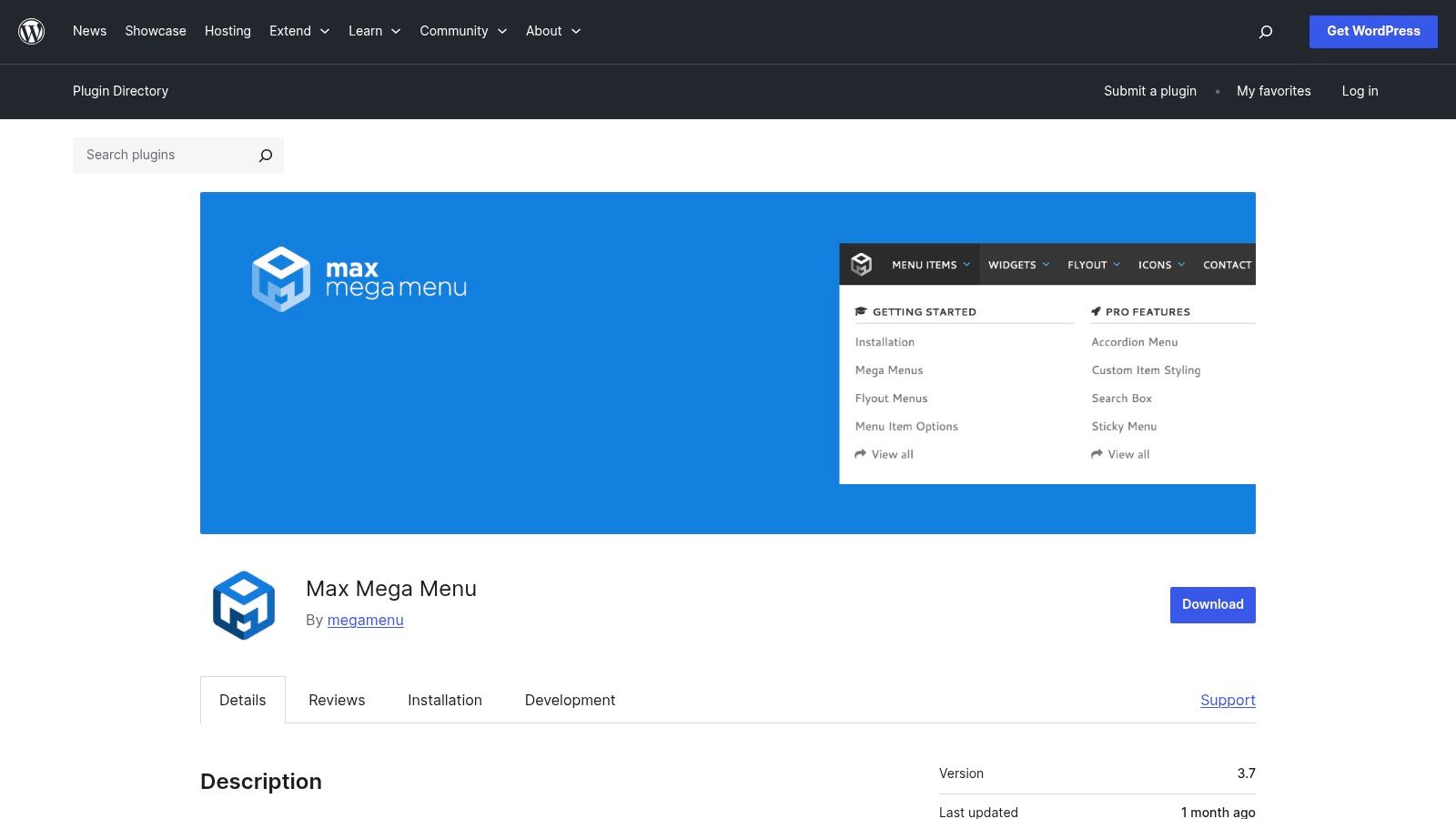
What makes Max Mega Menu stand out is its seamless integration with the native WordPress menu system. Instead of forcing you to learn a new interface, it extends the familiar "Appearance > Menus" screen with new options. You can easily convert any menu item into a sub-menu trigger, add WordPress widgets directly into your navigation panels, and style everything using a built-in theme editor, all with a free and vetted plugin.
Strategic Analysis: Why It's a Go-To Resource
The core strength of Max Mega Menu lies in its accessibility and performance focus, which are often afterthoughts in purely visual builders. The plugin is built with keyboard navigation and screen reader support from the ground up, ensuring your complex menus are usable by everyone. The free version provides a robust foundation, making it an excellent, low-risk starting point for any Divi project needing more than a simple dropdown.
Key Insight: Max Mega Menu empowers you to build some of the most cool menu designs by leveraging widgets. You can place anything from a search bar and recent posts to custom Divi layouts (using shortcodes) directly within your navigation, creating a dynamic and interactive user experience.
Actionable Takeaways & Implementation
Integrating with Divi is straightforward. Once installed, you can enable it for a specific menu location within your Divi Theme Builder header. You can then use the built-in WordPress Customizer or the plugin's theme editor to fine-tune the styling to match your site's branding perfectly.
- Widget Integration: Add a Divi Library layout shortcode into a text widget and place that widget inside your mega menu for ultimate design flexibility.
- Performance: The plugin is lightweight, ensuring your advanced menu doesn't slow down your site's load times.
- Pro Upgrade Path: Start with the free version. If you need advanced features like sticky menus, WooCommerce integration, or vertical layouts, you can upgrade to the Pro add-on without rebuilding your existing menus.
Platform Breakdown
| Feature | Details |
|---|---|
| Pricing Model | Free core plugin available on WordPress.org; Pro version is a paid annual license. |
| Access Requirements | Free to download and use from the official WordPress Plugin Directory. |
| Unique Offering | Adds mega menu functionality directly into the native WordPress menu editor for a familiar workflow. |
| Pros | Strong focus on accessibility and performance, large user base, seamless upgrade path to Pro. |
| Cons | The most powerful features (e.g., sticky menu, tabs) require the paid Pro add-on. |
Website: https://wordpress.org/plugins/megamenu/
5. Creative Market
Creative Market operates as a vast digital marketplace where independent creators sell design assets, making it an excellent resource for one-off purchases. Unlike subscription services, it allows you to buy individual UI kits, navigation templates, and icon packs, which is ideal for designers with a specific project in mind who don't need a full-blown subscription. It’s a go-to platform for finding unique and niche design elements for your next menu project.
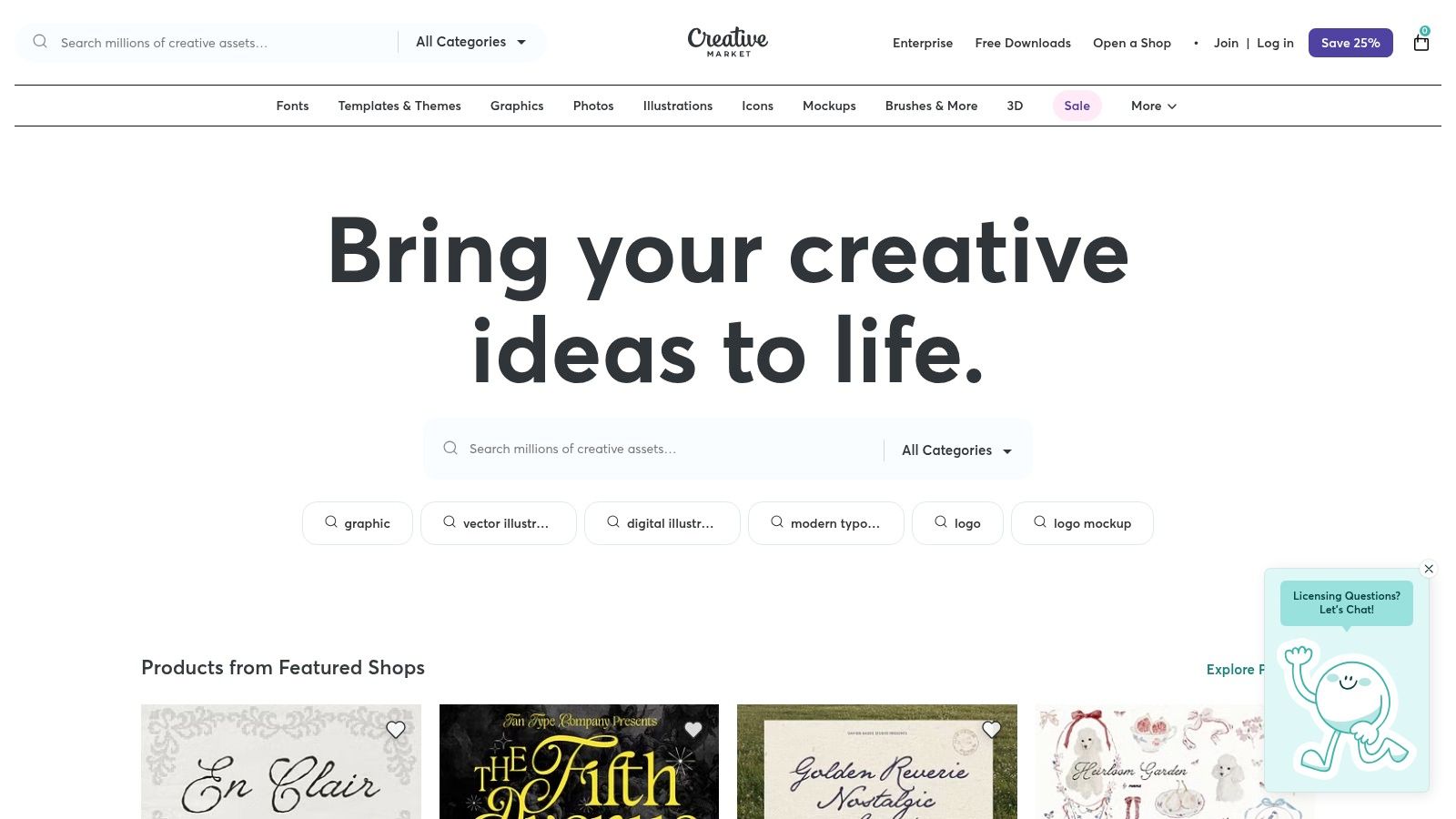
What sets Creative Market apart is its pay-as-you-go model and the sheer diversity of its creator base. This means you can find highly specialized visual styles that might not be available on larger, more standardized platforms. Whether you need a vintage-inspired navigation bar or a futuristic mobile menu, chances are an independent designer has created a kit that fits your exact aesthetic. This is perfect for single projects or when a client has a very specific design brief.
Strategic Analysis: Why It's a Go-To Resource
The core advantage of Creative Market is its flexibility. You can purchase a single, high-quality UI kit for a fraction of the cost of an annual subscription, making it budget-friendly for smaller projects. These kits often provide well-organized files for Figma, Sketch, or Adobe XD, including components for mega menus, mobile off-canvas navigations, and various button states.
Key Insight: Creative Market is the ideal testing ground for exploring unique visual directions. You can purchase a single UI kit to analyze its structure, typography, and interaction patterns, providing a concrete foundation for crafting cool menu designs without a long-term financial commitment.
Actionable Takeaways & Implementation
For Divi developers, assets from Creative Market can serve as a detailed visual guide. You can purchase a UI kit that aligns with your project's goals and use it to inform your build in the Divi Theme Builder. The icon packs are also a great way to add custom flair to your menu links or enhance popups created with a powerful plugin like Divi Areas Pro. For more tools to complement your Divi workflow, you might want to explore some of the best WordPress plugins for Divi.
- Targeted Purchases: Search for specific menu types like "mega menu UI kit" or "mobile navigation figma" to find exactly what you need.
- Style Inspiration: Browse the marketplace to discover emerging design trends and unique aesthetics from independent creators.
- Asset Extraction: Use purchased kits to extract specific elements like icons, button styles, or layout concepts for your Divi project.
Platform Breakdown
| Feature | Details |
|---|---|
| Pricing Model | Pay-as-you-go; purchase individual assets or asset bundles. |
| Access Requirements | Free account to browse and purchase; purchased assets are available for re-download. |
| Unique Offering | A massive collection of assets from a diverse, global community of independent creators. |
| Pros | Flexible per-item pricing, easy to find niche visual styles, no subscription needed. |
| Cons | Quality varies by author; not all assets include files for multiple design tools, so check before buying. |
Website: https://creativemarket.com
6. Figma (Official UI Kits and Community)
Figma is more than just a collaborative design tool; it's an ecosystem for creating, testing, and refining user interfaces, including innovative menu systems. For Divi professionals, its official UI kits (like Google's Material 3) and the vast Figma Community provide a powerful starting point for prototyping and visualizing cool menu designs before a single line of code or a single Divi module is configured. The platform excels at rapid iteration, allowing you to build and test dozens of menu variations efficiently.
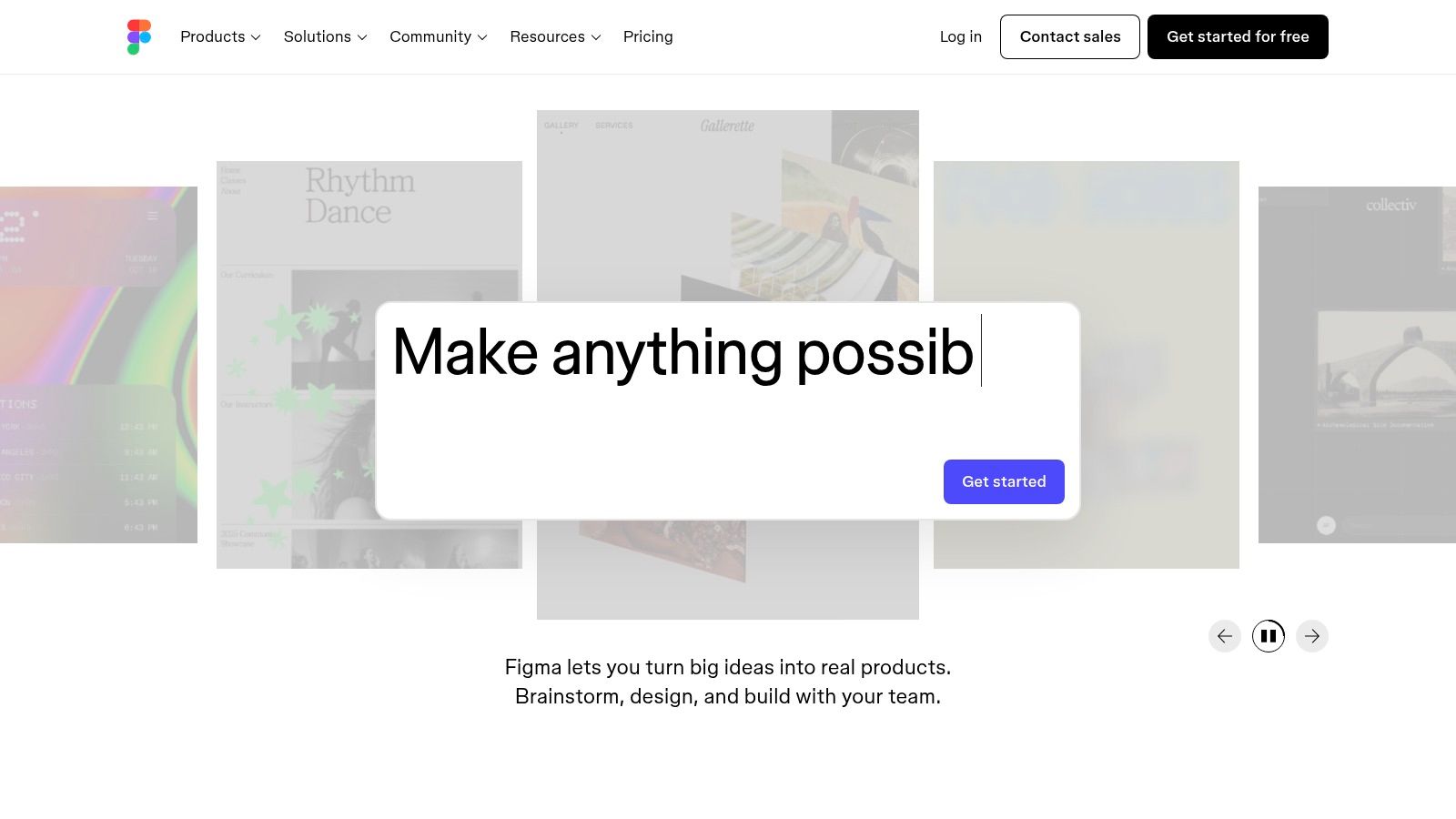
What sets Figma apart is its component-driven workflow and the accessibility of its Community files. You can duplicate entire design systems containing pre-built navigation bars, mobile menus, and mega menus with a single click. These assets, built with Auto Layout and component properties, can be customized in seconds, making Figma an unparalleled tool for exploring design concepts and ensuring consistency before development begins.
Strategic Analysis: Why It's a Go-To Resource
Figma's primary strength is its ability to serve as a design sandbox. Official UI kits from Apple and Google ensure your menu designs adhere to established platform conventions, which is crucial for user experience. The Community, on the other hand, is a treasure trove of creative and unconventional menu patterns submitted by designers worldwide. You can find everything from minimalist navigation bars to complex, animated off-canvas menus. To further inspire your creativity and streamline your design process for building cool menu designs, you might find valuable insights in the best UI kits for inspiration.
Key Insight: Prototyping menus in Figma first allows you to resolve all UX and UI issues at the design stage. You can perfect spacing, test user flows, and get client approval on a high-fidelity mockup before committing to the Divi build, saving significant development time.
Actionable Takeaways & Implementation
Divi users can leverage Figma as the definitive blueprint for their builds. After finalizing a menu design in Figma, you can extract all the necessary style properties, such as colors, font sizes, spacing values, and corner radii, and implement them directly within Divi's module settings or the Theme Customizer.
- Component-Based Planning: Use Figma's components to design your header, then recreate it using Divi's Theme Builder for a 1:1 match.
- Mobile Menu Prototyping: Design and prototype your slide-in or popup mobile menu in Figma, then build the functionality with
Divi Areas Pro. - Asset Export: Export icons, logos, and other graphical elements directly from Figma as SVGs for crisp, lightweight assets in your Divi site.
Platform Breakdown
| Feature | Details |
|---|---|
| Pricing Model | Free tier for individuals; paid professional and organization plans for advanced features. |
| Access Requirements | Free Figma account required to access Community files and use the editor. |
| Unique Offering | Official, up-to-date UI kits from major platforms like Apple and Google and a massive Community library. |
| Pros | Rapid prototyping with components, free access to a vast library of files, real-time collaboration. |
| Cons | Community file quality can be inconsistent; some official kits have specific licensing terms to follow. |
Website: https://www.figma.com
7. Webflow (Made-in-Webflow cloneables and Flowbase)
Webflow is a powerful visual web development platform, but its value extends beyond its core builder through a vibrant community and third-party ecosystem. For designers seeking inspiration for cool menu designs, the "Made-in-Webflow" showcase and marketplaces like Flowbase are invaluable resources. They offer production-ready, cloneable navigation components, from complex mega menus to slick mobile flyouts, complete with pre-built interactions and responsive settings.
What makes Webflow's resources unique is their immediate practicality. Unlike static design files, these are fully functional components that can be copied directly into a Webflow project with a single click. This allows developers and designers to reverse-engineer sophisticated interactions, study responsive breakpoint logic, and understand the CSS properties that bring a menu design to life in a live environment.
Strategic Analysis: Why It's a Go-To Resource
The primary strength of Webflow's cloneable ecosystem is its hands-on, educational nature. By dissecting a professionally built mega menu, you can learn how designers use CSS Grid or Flexbox for column layouts, implement subtle entrance animations using Webflow's interactions panel, and structure HTML for accessibility. For those not using Webflow, it serves as a high-fidelity interaction prototype.
Key Insight: Webflow cloneables are more than just templates; they are live case studies. You can inspect the exact CSS properties, timing functions for animations, and responsive adjustments, providing a clear blueprint for recreating similar advanced navigation patterns in Divi or with custom code.
Actionable Takeaways & Implementation
While these assets are native to Webflow, Divi users can extract immense value by using them as a guide. Open a cloneable project in the Webflow designer and use your browser's inspect tool to analyze the CSS. This helps you understand the properties needed to build a similar structure using Divi modules and custom CSS in the Theme Customizer. The detailed interaction settings also offer inspiration for custom JavaScript or CSS animations in your Divi projects. To learn more about adapting these patterns, see our complete guide to mobile menu design.
- Interaction Study: Analyze the "Interactions" panel in a cloneable to see how timed animations for dropdowns or flyouts are choreographed.
- Responsive Blueprint: Toggle between Webflow's breakpoints to see how menus transform from desktop to mobile, noting changes in display properties and layout.
- CSS Reference: Use the "Style" panel as a live CSS reference for properties like
transform,transition, andgrid-template-columnsto apply in your Divi builds.
Platform Breakdown
| Feature | Details |
|---|---|
| Pricing Model | Many community cloneables are free; premium component libraries (like Flowbase) are subscription-based. |
| Access Requirements | A free or paid Webflow account is needed to clone projects. |
| Unique Offering | Instantly copyable, fully functional components with pre-built animations and responsive behaviors. |
| Pros | Production-ready examples, excellent for learning advanced CSS and interactions, fast for prototyping. |
| Cons | Best for Webflow users; requires manual work to translate patterns to Divi/WordPress. |
Website: https://webflow.com/made-in-webflow/website/Clonable-mega-menu-navigation
Top 7 Cool Menu Design Sources Compared
| Tool | 🔄 Implementation complexity | ⚡ Resource requirements (cost / skills / time) | ⭐ Expected quality / outcomes | 📊 Expected impact | 💡 Ideal use cases & key advantages |
|---|---|---|---|---|---|
| Build a Better Divi Mega Menu with Divi Areas Pro | Moderate–High: setup in Divi; advanced targeting/configuration possible | Paid plugin; Divi + (optional) WooCommerce; developer familiarity improves results | High visual polish and targeted UX; native Divi styling | Boosted conversions and contextual content surfacing | Best for Divi sites needing branded, behavior-driven mega menus; developer API and performance-minded options |
| Envato Elements | Low: download and apply templates/assets | Subscription-based (unlimited downloads); design tooling (Figma/Sketch/etc.) | Variable but often high-quality ready-to-use assets | Faster prototyping and production throughput | Agencies/teams needing many assets under one license; broad asset coverage |
| Envato Market (UberMenu example) | Moderate: install/configure plugin; customize for layout | One-time license per site; WordPress/WooCommerce; some customization skill | Mature, robust plugin with extensive layout options | Reliable feature set and extendability via add-ons | Single-site purchases wanting a proven WordPress mega-menu plugin with add-on ecosystem |
| WordPress.org — Max Mega Menu | Low–Moderate: basic use is simple; Pro features add setup | Free core plugin; Pro add-on costs for advanced features; WP familiarity | Solid, accessible menu system with upgrade path | Improves accessibility and core mega-menu capability with minimal risk | WordPress users who want a free entry and clear path to Pro features |
| Creative Market | Low: purchase and integrate UI kits or assets | Pay-per-item; design tools required; quality varies by author | Varies by seller; many polished one-off assets | Quick visual improvements for specific projects | One-off purchases for distinct visual styles or single-project needs |
| Figma (official UI kits & Community) | Low: duplicate and modify components; rapid iteration | Free/Paid plans; design skills; collaboration features | High for official kits; community files vary | Fast prototyping, consistent component-driven designs | Designers prototyping menu variants and maintaining linked libraries |
| Webflow (cloneables & Flowbase) | Low–Moderate: import cloneables and adapt interactions | Webflow account; some cloneables free, some premium; front-end skills | Production-ready interactions and responsive patterns | Rapid testing of live interactions and animations | Webflow projects or front-end teams seeking interactive menu patterns |
Start Building Smarter Menus Today
Throughout this exploration of cool menu designs, a clear theme has emerged: exceptional navigation is no longer just a list of links. It's a strategic blend of user experience design, aesthetic appeal, and technical precision. The examples we’ve analyzed prove that a well-crafted menu serves as a powerful guide, seamlessly directing users to the content they need while reinforcing your brand’s identity. It's the silent workhorse of a successful website.
We've seen how interactive mega menus built with Divi Areas Pro can transform a simple dropdown into a rich, engaging content hub. We've also examined how resources from marketplaces like Envato and Creative Market offer pre-built inspiration, while dedicated plugins like UberMenu and Max Mega Menu provide robust, specialized solutions. The key takeaway is that the perfect menu isn't just "found"; it's intentionally designed and strategically implemented.
Synthesizing Strategy with Action
The journey from inspiration to implementation is where many designers get stuck. Seeing a beautiful, animated menu on a showcase site is one thing; building it within your own Divi ecosystem is another. This is precisely where the power of a tool-based approach comes into play. The most effective designs we've reviewed share common principles you can apply today:
- Context is King: The best menus adapt. Whether it’s a sticky header that appears on scroll, a contextual menu triggered by a user's click, or an off-canvas solution for mobile, your navigation should feel responsive to the user's needs and environment.
- Clarity Over Clutter: A "cool menu design" is ultimately a clear menu design. Prioritize intuitive information architecture, use visual hierarchy effectively, and ensure every link and icon serves a distinct purpose. Avoid overwhelming users with too many options at once.
- Performance is a Feature: Animation and interactivity must be balanced with performance. A slow-loading mega menu or a janky animation will frustrate users and harm your SEO. Always test your menu's performance on various devices and network conditions.
Choosing Your Toolkit: A Practical Guide
The right tool depends entirely on your project's scope and your technical comfort level. For Divi users, the path forward is particularly clear.
If you are a freelancer or agency seeking maximum creative control and seamless integration, Divi Areas Pro is the standout choice. Its ability to create menus, popups, and conditional content using the native Divi Builder eliminates the need for external tools or clunky interfaces. You can leverage its powerful triggers (like On-Scroll or Exit-Intent) and precise targeting rules to build the exact contextual, dynamic navigation systems we've explored.
For those needing a quick, specific solution or working outside the Divi ecosystem, dedicated plugins like UberMenu or templates from marketplaces can provide a solid foundation. However, remember that these often come with their own learning curves and may not integrate as fluidly with your existing theme's styling.
Ultimately, your goal is to bridge the gap between your creative vision and your technical reality. The modern web designer doesn't just design static layouts; they build dynamic, interactive experiences. By leveraging the right tools and applying the strategic principles we've discussed, you can move beyond standard navigation. You can start creating those genuinely cool menu designs that not only look impressive but also deliver tangible results, improving user engagement and driving conversions.
Ready to unlock the full potential of your Divi website's navigation? With Divimode, you can build the sophisticated, custom-designed menus and interactive popups featured in this guide using the familiar Divi Builder. Visit Divimode to discover how Divi Areas Pro can help you create smarter, more engaging user experiences today.
More Articles You Will Like