 Alex Martin
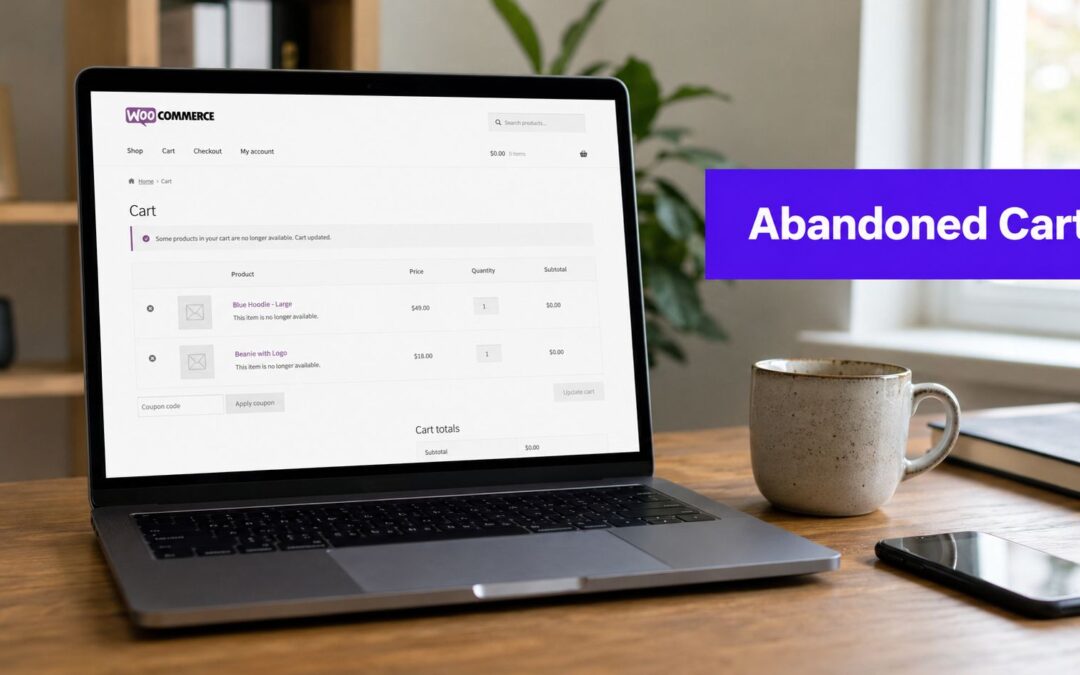
If you're treating cart abandonment as background noise, you're leaving one of the biggest revenue leaks in your WooCommerce funnel untouched. The average global shopping cart abandonment rate reached 70.19% in 2024–2025, based on 50 different studies, which means a typical store loses roughly 7 out of 10 shoppers after they've already shown buying intent, according to Baymard's cart abandonment benchmark.
For Divi users, that's not just a marketing problem. It's a systems problem. You need onsite friction reduction, a way to capture cart state before checkout completes, timed recovery across email and SMS, and a measurement setup that tells you whether those interventions created additional orders or just took credit for orders that would've happened anyway.
Most WooCommerce abandoned cart guides stop at “install a plugin and send reminders.” That's not enough. A useful recovery system has to work inside a real storefront, fit how Divi pages are built, and avoid muddy reporting.
Why You Cannot Ignore WooCommerce Abandoned Carts
A WooCommerce abandoned cart sits at the most valuable point in your funnel. These visitors already picked products, reviewed pricing, and got close enough to payment that a small problem or a simple interruption was enough to stop the order.
Analysts at Baymard found an average global cart abandonment rate of 70.19% in 2024–2025 across 50 studies, which means many stores lose roughly 7 out of 10 carts before checkout is completed, according to Baymard's benchmark page.
For a Divi store, that number matters because abandoned carts are usually recoverable in ways generic traffic is not. You already have buying intent. The work is identifying where the checkout experience creates hesitation, then setting up recovery tools that can bring people back without inflating your reporting.

Why abandonment happens so close to purchase
In real WooCommerce stores, abandonment usually comes from a few predictable causes:
- Unexpected costs: Shipping, taxes, or fees appear too late.
- Checkout friction: Mobile forms are clumsy, account creation gets in the way, or the next step is unclear.
- Trust hesitation: Return policy, payment security, or delivery expectations are not obvious enough at the moment of decision.
- Interruption: The shopper gets distracted, switches devices, or decides to compare one more option before buying.
Those are different problems, and they do not respond to the same fix. A trust issue needs better messaging on the page. A distracted shopper often responds to a reminder. A poor mobile checkout usually needs layout and field changes before any email sequence will make a real difference.
That distinction is where many recovery setups fail. Store owners install a reminder plugin, see some recovered orders, and assume the job is done. In practice, the bigger gain often comes from combining onsite fixes with offsite follow-up, then checking whether those recovered orders were incremental. Divi users have a real advantage here because tools like Divi Areas Pro can place targeted onsite prompts exactly where hesitation happens, instead of relying only on messages sent after the visitor leaves. For a practical look at onsite fixes that reduce drop-off before recovery even starts, see this guide on how to reduce cart abandonment in Divi and WooCommerce.
Why this deserves attention before you buy more traffic
Stores often spend on new acquisition while a large share of near-buyers drops out of checkout. That is usually the more expensive order of operations.
A shopper with items in the cart is already far closer to revenue than a first-time visitor from an ad click. Recovering even a portion of those sessions can produce a better return than adding more top-of-funnel traffic, especially if your paid acquisition costs are rising.
For Divi-based WooCommerce sites, the practical priorities usually look like this:
| Focus area | What it changes |
|---|---|
| Cart and checkout UX | Reduces avoidable drop-off before the visitor leaves |
| Onsite interventions | Catches hesitation while the shopper is still active on the site |
| Email and SMS recovery | Brings back shoppers after the session ends |
| Attribution and reporting | Shows which actions produced additional orders |
Up North Media's guide for e-commerce makes a useful point here. Recovery works best as a mix of checkout improvement, reminders, and remarketing, not as a one-plugin shortcut.
What smart recovery looks like
Cart abandonment is a standing revenue problem. It is not a one-time cleanup task.
The stores that handle it well build a system around three questions. What made the shopper pause? Which message or onsite prompt is most likely to remove that objection? Did the intervention create a sale that would not have happened anyway?
That last question gets ignored in many WooCommerce tutorials, but it matters. If an email gets credit for an order that was going to happen two hours later anyway, your reports look better than your profit picture. For Divi users, the goal is not just to recover carts. The goal is to recover the right carts, measure the lift accurately, and improve the parts of the funnel that keep causing abandonment in the first place.
Choosing Your Abandoned Cart Recovery Strategy
Most stores mix up two separate jobs. One is stopping abandonment before the visitor leaves. The other is recovering the cart after they've already gone. If you separate those jobs, your setup gets much cleaner.

Onsite prevention and offsite recovery
Onsite prevention happens while the shopper is still on the site. This includes exit-intent popups, trust messaging near checkout, coupon clarity, payment reassurance, and reducing form friction.
Offsite recovery starts after the session breaks. That usually means email first, then SMS if you've captured consent and contact details.
These aren't interchangeable. An exit-intent popup can stop a departure caused by hesitation. An email can recover a distracted shopper who already left. You want both, but they solve different problems.
A strong framing for the overall process appears in Up North Media's guide for e-commerce, which usefully distinguishes the mix of checkout optimization, reminders, and remarketing rather than pretending a single plugin solves everything.
Why plain WooCommerce isn't enough
Here's the technical constraint many merchants discover too late. WooCommerce doesn't track abandoned carts by default. It records completed orders, not unfinished carts. Reliable recovery requires a dedicated plugin or custom event capture that stores the cart before checkout completion, and mobile abandonment can exceed 80%, according to this WooCommerce abandoned cart guide.
That has a few direct consequences:
- Guest carts need capture: If the visitor never submits an order, WooCommerce alone has nothing useful to recover.
- Cart state must persist: Product IDs, quantities, coupon state, and customer identifiers need to be stored before checkout completion.
- Measurement has to start early: If you don't capture the session before the order exists, your attribution later will be weak.
If you want a Divi-specific primer on reducing drop-off before recovery even starts, this article on reducing cart abandonment in Divi and WooCommerce is worth reviewing.
Prevention reduces the number of carts you lose. Recovery improves the share you win back. Serious stores build both.
The practical stack to choose
A workable WooCommerce abandoned cart setup usually has four layers:
Cart capture
A recovery plugin or custom tracking layer records cart activity before checkout completes.Onsite intervention
Cart and checkout pages show targeted messaging when a visitor hesitates or tries to leave.Follow-up automation
Email and SMS sequences bring the shopper back with the right timing and the right message.Attribution
Every recovery link needs campaign tracking so you can tell which channel influenced the purchase.
If one of those layers is missing, the system gets distorted. Stores often blame poor recovery on weak email copy when the actual issue is that carts weren't captured, links weren't tagged, or onsite friction was never addressed.
Implementing Onsite Recovery with Divi Areas Pro
Onsite recovery is where Divi users have an advantage. You don't need to hard-code modal behavior or bolt on a separate popup builder that fights your layout. You can build the intervention in the Divi Builder, target it to the right WooCommerce pages, and trigger it only when buyer behavior suggests hesitation.
Start with the cart and checkout pages. Those are the pages where exit-intent matters most.

The popup that actually helps
A lot of exit popups fail because they're too generic. “Wait, don't leave” isn't persuasive. The popup has to answer the friction that caused the exit.
For cart pages, that usually means one of these:
- Shipping hesitation: Offer free shipping if that's operationally sustainable.
- Price hesitation: Offer a modest coupon, ideally not as the first response for every shopper.
- Decision hesitation: Reassure with returns, delivery expectations, or product support.
- Distraction: Offer to save the cart or email it to them.
For checkout pages, keep the popup leaner. If someone is already deep in checkout, a noisy modal can hurt more than help. The message should focus on removing friction, not adding another decision.
A practical Divi setup
With Divi Areas Pro, create a new area and design it like a compact recovery modal, not a homepage hero. Use a short headline, one reassurance line, and one primary action.
A simple structure works well:
- Headline: Complete your order before you go
- Body copy: Your cart is still ready. If shipping cost is the issue, use this code for free shipping.
- Primary button: Return to checkout
- Secondary text: Need help? Reply to this email or contact support
Set the display rules carefully:
| Setting | Recommendation |
|---|---|
| Trigger | Exit intent |
| Location | Cart page and checkout page |
| Frequency | Limit repeat display so it doesn't appear every visit |
| Device handling | Use a lighter experience on mobile |
| Audience logic | Show different content for new and returning customers if your stack supports it |
If you need the mechanics, this Divi Areas Pro display guide covers the targeting and trigger logic in more depth.
Field note: The biggest popup mistake is offering a discount before you've tested reassurance. Sometimes the lost sale had nothing to do with price.
Offer design and message control
Don't train your audience to abandon carts for codes. If every exit gets a discount, repeat shoppers learn the pattern quickly. I prefer a sequence of escalating interventions:
- First, test reassurance and friction removal.
- Then test a non-discount value add like free shipping.
- Use direct discounts more selectively.
You can also vary the content by page. On the cart page, the popup can address shipping or threshold incentives. On the checkout page, it should reassure and simplify.
A quick walkthrough helps if you haven't built these behaviors in Divi before:
When to use the free option
If you only need basic popup behavior, Popups for Divi can handle simpler implementations. If you want more control over triggers, page conditions, behavior targeting, and WooCommerce-specific display logic, the premium tool is more suitable.
The point isn't to add more overlays. It's to place one well-timed intervention where abandonment occurs.
Automating Email and SMS Recovery Sequences
Email and SMS do the heavy lifting in cart recovery, but the setup matters more than the channel count. A basic reminder flow can recover some orders. A well-built flow ties each message to cart value, buyer type, and consent status, then tags every return visit so you can see which touches produced real revenue. For Divi stores comparing stack options, this roundup of email marketing automation tools for WordPress and WooCommerce is a useful starting point alongside recovery plugins like FunnelKit and Retainful.
The structure I keep coming back to is a three-touch sequence. Send the first message within 30 to 60 minutes. Follow with a second around 24 hours later, then a final recovery attempt near 72 hours. That cadence gives you one reminder while intent is still fresh, one objection-handling message after the initial pause, and one last test of urgency or incentive without dragging the sequence out so long that attribution gets muddy.

The sequence structure that holds up
Plugin choice matters less than execution. I care about four things: reliable cart capture, merge tags that populate, branching by customer type, and campaign tagging that survives the trip back to checkout. If a plugin cannot do those jobs cleanly, reporting breaks down fast.
Email one within the first hour
The first email should look like a service message. Show the products left behind, link straight back to the saved cart, and keep the copy tight.
Suggested angle
- Subject: You left something in your cart
- Body: Brief reminder, product summary, direct checkout button
- CTA: Return to your cart
This email is about continuation, not persuasion. At this point, many shoppers do not need a discount. They need a fast route back to the exact cart they already built.
Email two at around twenty-four hours
The second email should answer the question that stalled the order. Repeating the first message wastes a high-intent touch.
Use this send to address common friction points:
- Shipping clarity: Set expectations on cost and delivery timing.
- Returns reassurance: Reduce purchase anxiety.
- Support access: Give them a clear way to ask a pre-sale question.
- Trust signals: Reinforce fit, quality, reviews, or guarantees.
For Divi stores, message consistency matters. If your onsite recovery used Divi Areas Pro to handle objections at checkout, carry the same objections and proof points into the email instead of switching to generic promotional copy.
Email three at around seventy-two hours
The final email should change the offer, the framing, or both. Sending a third reminder that says the same thing as the first two usually adds noise.
A better final nudge depends on the cart:
| Situation | Better final nudge |
|---|---|
| Margin-sensitive products | Free shipping or store credit |
| Repeat buyers | Loyalty points or account credit |
| First-time buyers | Small discount with a clear expiration |
| Premium products | Concierge-style support invitation |
I rarely start with a discount-heavy flow because it trains buyers to wait. Stores with healthy repeat purchase rates usually do better when they reserve direct discounts for selected segments, such as first-time customers or high-friction categories.
Where SMS fits
SMS works well when the message is short, timely, and tied to a clear next step. It is a poor channel for long explanations, legal fine print, or broad promotional language.
Two use cases tend to justify it:
- After the first email for carts tied to limited inventory or short buying windows
- Near the end of the sequence when one concise prompt can pull the shopper back quickly
Keep the copy plain. Mention the product or cart. Link directly to checkout, not the homepage or a category page.
For teams trying to recover carts by solving questions instead of handing out coupons, this piece on AI for ecommerce customer service is worth reading. A meaningful share of abandoned carts come from unresolved support friction, not price resistance.
Segmentation matters more than sending more messages
One sequence for every cart leaves money on the table and distorts your reporting. A returning customer buying a refill product does not need the same sequence as a first-time buyer considering a higher-ticket item.
Start with simple segmentation:
- New customers vs. returning customers
- Low-margin carts vs. carts that can absorb an incentive
- Simple products vs. products that generate pre-sale questions
- High-value carts vs. low-value carts that do not justify SMS cost
That last point matters. SMS can produce strong recovery numbers, but the economics are different from email. If the average order value is modest, the added channel cost may not be justified unless the category converts exceptionally well.
If you only have time to improve one part of the automation, fix the message-to-segment match and the tracking. Better timing helps. Better attribution tells you whether the sequence paid for itself.
Tracking True Success and Advanced Optimization
Most stores overstate the success of their WooCommerce abandoned cart program because they count recovered orders without asking whether the campaign caused the sale. That's the fundamental measurement problem.
A lot of public guidance ignores this. It focuses on popups, email flows, and incentives, but skips the harder question of incremental lift. As noted in this analysis of abandoned cart recovery gaps, the weak point in most guides is measurement quality and attribution, especially when email, popups, SMS, and retargeting overlap.
Stop measuring only opens and clicks
Open rates and click rates can tell you whether people noticed the message. They can't tell you whether the message produced additional revenue. The sale might have happened anyway.
That's why every recovery system should tag links and separate channel reporting. At minimum, your setup should track:
- Which channel sent the shopper back
- Which message they clicked
- Whether a discount was used
- Whether the order came from a recovered cart path or a separate return visit
If your popup, email, and SMS all point back without distinct campaign tags, your reporting gets muddy fast.
What matters most: A recovered order is only meaningful if you can reasonably connect it to the intervention that changed the buyer's behavior.
A practical attribution model
You don't need enterprise analytics to improve attribution. You need discipline.
Use a consistent structure for campaign tags across channels. Keep naming conventions fixed. Then review performance by message, by offer type, and by page of origin.
A simple model looks like this:
Tag every recovery link
Each email, SMS, and onsite CTA should carry distinct campaign identifiers.Separate assist from conversion
If a popup captured the email and the email drove the return, don't give full credit to both.Review recovered orders, not just engagement
A high-click campaign with weak order completion may be creating curiosity, not revenue.Check product-level patterns
Some products recover well through reminders. Others recover only when trust objections are addressed.
What to A/B test first
Don't test everything at once. That creates noise. Start with one variable per touchpoint.
For onsite interventions, test:
- Headline framing
- Reassurance versus incentive
- Cart page versus checkout page targeting
For email, test:
- Subject line style
- Plain reminder versus objection-handling body copy
- Incentive type in the final message
For SMS, test restraint. Too many stores treat SMS as a louder email channel and burn goodwill fast.
The point of optimization isn't to increase reported recovery at any cost. It's to find the mix that adds net revenue without excessive discounting, overlap, or customer annoyance.
Best Practices for Deliverability and User Experience
A recovery system can be technically correct and still underperform if the experience feels pushy or the emails never land in the inbox. The best abandoned cart programs don't feel aggressive. They feel like helpful follow-up.
Keep the onsite experience under control
Your popup should interrupt sparingly. On desktop, exit intent can work well because the user is signaling departure. On mobile, be much more careful. A full-screen interruption on a small viewport can create more friction than it removes.
A few rules hold up well:
- Make the message specific: Address the likely objection, don't use generic pleading.
- Limit frequency: Show it once, not on every page refresh.
- Respect checkout momentum: At checkout, shorter is better.
- Apply offers cleanly: If you promise a code, make redemption straightforward.
Protect inbox placement
Cart recovery only works when messages arrive. That sounds obvious, but many stores spend days tuning copy while their domain reputation, sending setup, or list hygiene is the core problem.
If you're troubleshooting placement, this guide on how to check if emails are going to spam is a practical starting point.
A few habits matter most:
| Area | Good practice |
|---|---|
| Sending reputation | Use a reputable email service and monitor failures |
| Message quality | Avoid spammy phrasing and overloaded designs |
| List handling | Honor unsubscribes immediately and suppress bad addresses |
| Template design | Keep recovery emails focused on one action |
Make recovery feel like service
The tone of your messages matters more than many stores expect. “Complete your order” works better than theatrics. “Need help choosing the right size?” works better than fake urgency if the product usually creates pre-sale questions.
That's the broader lesson. Recovery works best when it behaves like support with commercial intent. You're helping a shopper finish a decision they already started.
If you build your WooCommerce abandoned cart setup that way, you won't just recover more orders. You'll do it without teaching customers to wait for discounts or making your brand feel desperate.
If you want a cleaner way to add targeted onsite recovery to Divi-powered WooCommerce stores, Divimode is a practical place to start, especially if you want cart and checkout interventions that are built inside the Divi workflow instead of bolted on as an afterthought.
More Articles You Will Like