 Alex Martin
When you're new to Divi, the term "template" can seem a bit fuzzy. Let's clear that up right away. Think of Divi theme templates as professionally designed blueprints for your website pages. Instead of staring at a blank canvas and wondering where to start, you begin with a complete, polished framework.
This single idea is a game-changer. It lets you accelerate development and ensures a high-quality design from the moment you begin.
What Are Divi Templates and Why Do They Matter?
Imagine you’re building a house. You could grab a pile of lumber and just start hammering away, or you could work from a professionally drawn architectural blueprint. A Divi theme template is that blueprint. It gives you the entire structure—the rooms, the layout, the foundation—so you can get straight to the fun parts, like picking out paint colors, furniture, and decorations.
This approach saves an incredible amount of time and mental energy. You're no longer wrestling with column widths, spacing, or getting things to line up just right. Instead, you get a beautiful starting point that you can then make entirely your own.
The Divi Ecosystem Explained
To really see how powerful this is, you need to understand the three core pieces of the Divi puzzle and how they fit together. I've seen a lot of users get confused here, but it's actually pretty simple:
- The Divi Theme: This is the operating system for your entire WordPress website. It’s the foundation that controls the big-picture stuff, like your site-wide header, footer, and other global settings.
- The Divi Builder: This is your toolbox. It’s a powerful drag-and-drop visual editor that lets you construct and customize pages, section by section, without ever having to write a line of code.
- Divi Templates: These are the pre-built page designs you load into the Divi Builder. They're the strategic blueprints that give you instant structure and style, whether for a single page or an entire website.
So, the theme is the house itself, the builder is your complete set of tools, and the templates are the expert floor plans you use to make every single room perfect.
Theme vs. Template: A Common Confusion
It's really common for people to mix up the terms "theme" and "template," but in the Divi world, knowing the difference is critical. The Divi Theme is the single, overarching framework you install on your WordPress site. You only ever use one theme at a time.
But within that one theme, you can use hundreds of different Divi theme templates. You might pick one template for your homepage, a totally different one for your services page, and yet another for your blog posts.
A theme governs your entire site's framework, while a template provides the specific design for a single page or post. Understanding this difference is the key to unlocking Divi's full potential for creating diverse, beautiful websites efficiently.
This modular approach gives you amazing flexibility. You can keep a consistent brand identity using the main theme settings while creating unique, purpose-built designs for every corner of your site with a massive library of templates. It's exactly why Divi is a favorite for designers and business owners who demand both creative control and serious speed.
Navigating the Different Kinds of Divi Templates
Diving into Divi theme templates can feel like stepping into a massive library of blueprints. Not every design serves the same purpose, and figuring out the different types is your first step to picking the right one for your project. The Divi ecosystem is packed with options, each with its own unique strengths.
Official Elegant Themes Layout Packs
Your first stop is usually the official source: Elegant Themes. They offer hundreds of professionally designed Layout Packs right inside the Divi Builder. Think of these as complete, multi-page website kits.
A single pack isn't just a homepage; it often includes pre-built templates for your about page, contact page, services, and more—all tied together with a consistent style. For instance, a layout pack for a coffee shop will come with a sharp-looking menu page, a gallery for photos, and a contact form. This cohesive approach is their biggest advantage, putting you on the fast track to a professional site with just a few clicks.
This diagram helps visualize how Divi's main parts work together, with templates acting as the design blueprints you use within the builder.
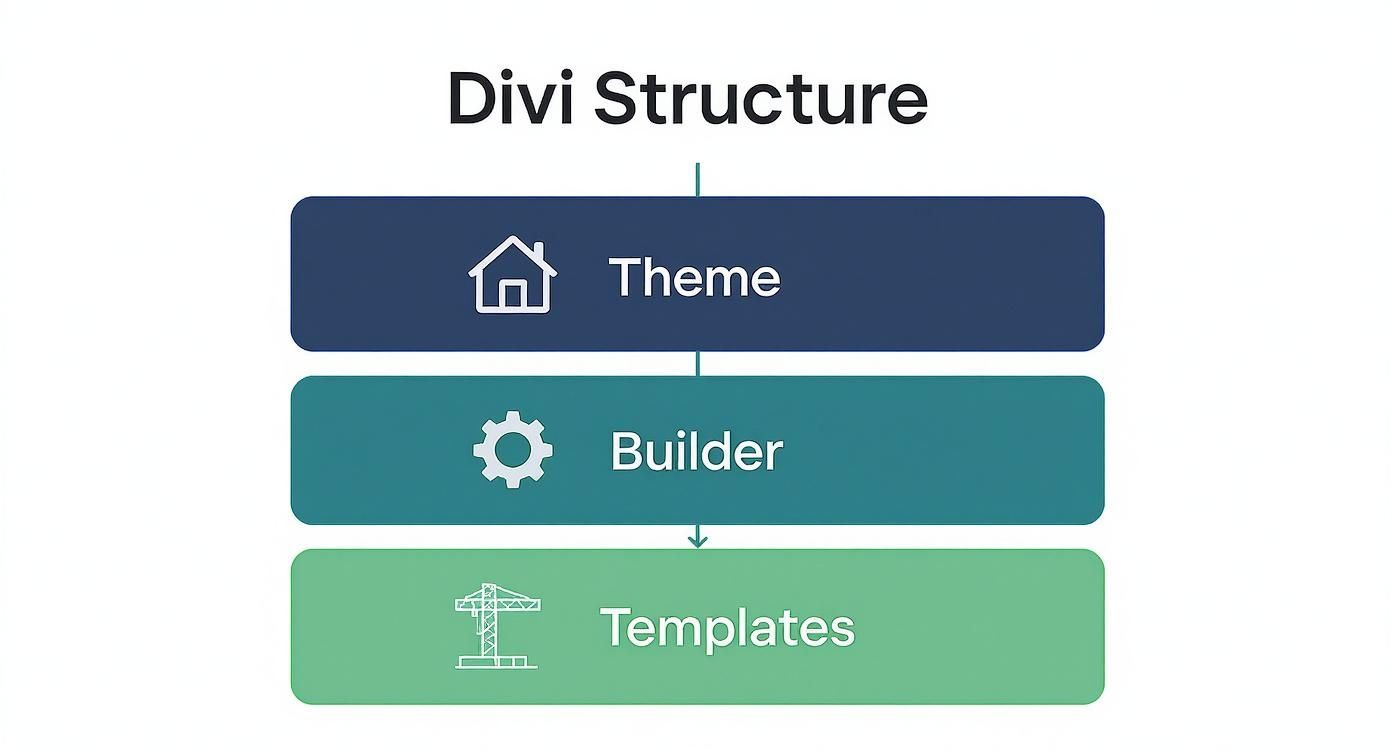
It shows that while the theme is your foundation, the builder and the templates are the tools you'll be using day-to-day to shape how your site looks and works.
Third-Party Marketplaces and Independent Creators
Beyond the official library is a vibrant world of third-party Divi theme templates. Marketplaces and independent developers are constantly creating designs that cater to niche markets or include specialized features you won't find in the standard packs.
This is where you hunt for something highly specific. Need a real estate template with pre-styled property listings? You’ll probably find it here. While these templates can be incredible, it's crucial to check them for quality. Look for recent updates, good reviews, and responsive support from the developer.
A third-party template can give you a unique edge, but always put quality and support first. A poorly coded template can drag down your site's performance and even create security holes, so do your homework.
Creating and Reusing Your Own Templates
Here’s where Divi’s real power kicks in: you can become your own template creator. Every time you design a page, section, or module that you're proud of, you can save it to your personal Divi Library. This turns your best work into reusable assets you can deploy anytime.
This simple action completely changes your workflow. Just built the perfect hero section? Nailed a high-converting call-to-action block? Save it. Now you can drop that exact design into any other page or even export it for a totally different Divi website.
Here’s why that’s a game-changer:
- Keeps Your Brand Consistent: Easily reuse your custom headers, footers, and branded sections across your entire site.
- Speeds Up Development Massively: Stop building the same elements from scratch. Your library becomes a personalized toolkit of your best designs.
- Perfect for Targeted Goals: You can create your own set of Divi landing page templates designed specifically for your marketing campaigns, making every new launch fast and perfectly on-brand.
To help you decide where to start, here’s a quick comparison of the different template sources.
Comparing Divi Template Sources
| Template Type | Primary Source | Best For | Key Advantage | Consideration |
|---|---|---|---|---|
| Layout Packs | Elegant Themes | Quick, professional, multi-page websites for common industries. | Cohesive design across all pages and seamless integration. | Can be generic; may require customization to stand out. |
| Third-Party Templates | Marketplaces & Developers | Niche industries or sites needing specialized functionality. | Unique designs and advanced features not in official packs. | Quality varies; requires vetting for support and code quality. |
| Your Own Templates | Divi Library | Speeding up workflow and ensuring brand consistency. | Ultimate efficiency and control over your designs. | Requires an initial time investment to create and save assets. |
By combining official layout packs for a strong start, third-party templates for unique features, and your own saved designs for ultimate efficiency, you can build better websites faster than ever. This three-pronged approach gives you the flexibility to tackle any project with total confidence.
Finding and Installing Your Perfect Template
Alright, you've got the lay of the land on the different types of Divi theme templates. Now for the fun part: turning that knowledge into a real, functional website. This is where we move from theory to action, whether you're grabbing a design straight from Elegant Themes or using a custom one from a third-party creator.
The journey starts right inside the Divi Builder. Think of it as your command center. When you fire up a new page and enable the Divi Builder, you'll immediately get a prompt to "Choose a Premade Layout." This is your gateway to a huge library of professional designs.
Browsing the Official Divi Library
The built-in Divi Library is, hands down, the fastest way to get a site off the ground. It’s neatly organized into "Layout Packs"—these are complete, multi-page website kits designed for specific industries. You can filter them by categories like "Business," "Technology," or "Health & Fitness" to cut through the noise and find what you need.
As you browse, it helps to keep some core principles in mind. This guide on choosing a small business website template has some solid advice that's just as relevant here. It forces you to think about your brand, audience, and goals before you fall in love with a design.
Once a pack catches your eye, you can click to preview every single page inside it, from the homepage all the way to the contact form. This gives you a complete picture of how your site will feel before you import a thing.
The whole interface is designed to be crystal clear, letting you sort by category and see exactly what you’re getting before you commit.
The One-Click Import Process
Elegant Themes really nailed the installation process. It couldn't be simpler. Found a layout you love? Just hit the "Use This Layout" button. Divi does all the heavy lifting, importing the entire page design—images, text styles, structure, and all—directly onto your page.
This one-click import is a massive time-saver. Seriously. In seconds, a professionally designed page materializes, ready for you to swap in your own content. It completely removes the technical hurdles, letting you focus on what really matters: the creative stuff.
Installing Third-Party Divi Templates
But what if you bought a slick template from an independent developer? These usually come as a .json file, which is just a fancy blueprint of the Divi layout. The process is just as easy, though it takes a slightly different path.
Here’s how you do it, step by step:
- Open the Divi Builder: On the page where you want the layout, open up the Divi Builder settings menu (it's the purple icon with three dots).
- Find the Portability Icon: Look for the icon with two arrows pointing in opposite directions. That's your import/export tool.
- Import Your File: A pop-up will appear. Click the "Import" tab, hit "Choose File," and find the .json file you downloaded.
- Confirm the Import: Click the "Import Divi Builder Layout" button, and watch the magic happen. The layout will load onto your page, just like an official one.
If you're looking for designs with a bit more personality or specific functionality, exploring third-party marketplaces is a great move. For example, browsing a curated library of premium templates for Divi can help you discover unique options built for specific marketing goals or design aesthetics.
Pro-Tip: Always Use a Staging Site
Before you install any new template on your live website, test it on a staging site first. A staging site is basically a private copy of your live site where you can break things without any real-world consequences. It lets you play with new designs, test plugins, and make sure everything is perfect before you push the changes to your actual audience.
With these simple steps, you can confidently find and install any Divi theme template out there. This ease of use is one of the biggest strengths of the Divi ecosystem—it gives you a professional foundation to build upon, no matter your skill level.
Making a Divi Template Uniquely Yours
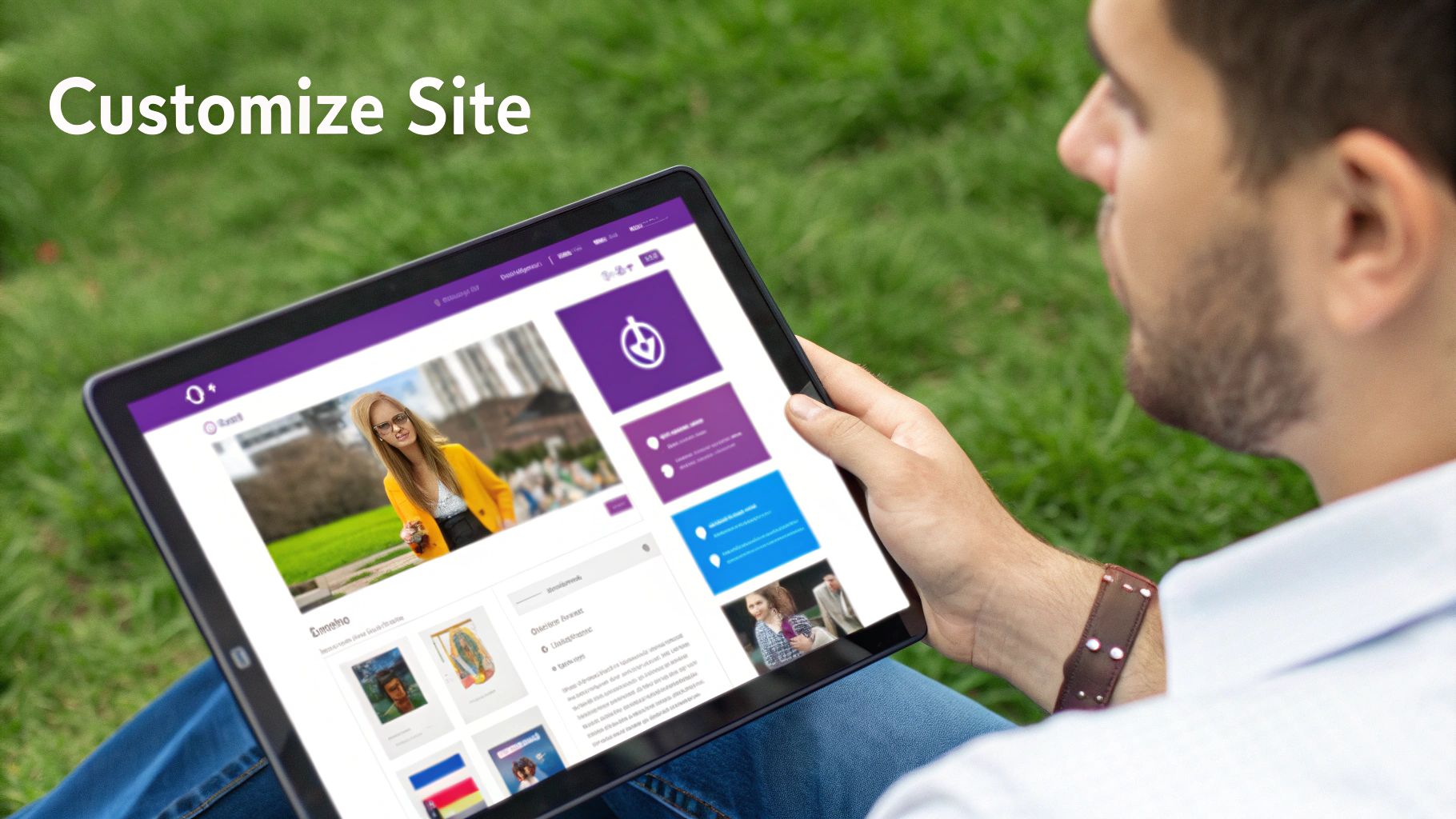
Think of a Divi template as the blueprint for your house. It gives you a solid structure and saves you from laying the foundation yourself, but the real magic happens when you start painting the walls and bringing in your own furniture. That's what customization is all about—transforming a great starting point into a website that is unmistakably yours.
This is where you'll get to know and love the Divi Visual Builder. It's a live, front-end editor, meaning you see every change as you make it. Gone are the days of guessing, saving, and refreshing. You just click on what you want to change and edit it directly. It’s less like coding and more like sculpting.
Mastering the Drag and Drop Interface
The heart of customizing Divi is its drag-and-drop system. Every single element on the page—from a simple line of text to an entire section—can be grabbed, moved, and resized with your mouse. This hands-on approach removes the technical hurdles and lets you focus on what really matters: how your site looks and feels.
Imagine your webpage is built from Lego blocks. You can rearrange them, stack them in new ways, or even swap them out for different blocks from Divi’s massive library of modules. This flexibility means that no matter what your initial Divi theme template looks like, you have total control over the final layout.
You're not just shuffling pixels around; you're actively shaping the user's journey. Want to move a glowing testimonial to the top of the page? Just drag it there. Need to place a video right next to a product description? Add a new column and drop the video module in. It's that simple.
Essential First Customization Steps
Once your template is loaded, it’s time to roll up your sleeves and inject your brand's personality. This goes way beyond just changing a few words. You want to replace all the placeholder content so the site feels completely custom.
Here’s where I always recommend starting:
- Colors and Fonts: Jump into Divi’s global settings to set up your brand’s color palette and fonts. When you change these here, they update everywhere. It’s a huge time-saver that keeps your design consistent.
- Images and Videos: Ditch the stock photos and upload high-quality visuals that actually represent your business. This is single-handedly the fastest way to make a template feel unique.
- Copy and Messaging: Replace all the "Lorem Ipsum" filler text with sharp, compelling copy that speaks directly to your ideal customer. Your words are what will ultimately connect with people.
These first steps lay the groundwork for a site that builds brand recognition and trust from the moment a visitor lands on it.
Using Global Settings for Site-Wide Consistency
One of the most powerful features for customizing Divi theme templates is the Theme Customizer. This is your command center for setting up global styles that apply across your entire site, saving you from the mind-numbing task of editing every page one by one.
Think of it as setting the design rules for your entire website. You can define the default styles for your headers, buttons, and body text all in one central location.
By establishing your global settings first, you create a cohesive design system for your website. This not only saves an immense amount of time but also ensures every new page you create automatically aligns with your brand identity.
This centralized control is a game-changer for your workflow. If you ever decide to change your main call-to-action button from blue to green, you just change it once in the Theme Customizer, and every single button on your site updates instantly.
The Rise of AI in Template Customization
Website building is getting smarter, and Divi is right at the front of the pack with its AI integration. Built directly into the Visual Builder, Divi AI gives you some seriously powerful tools to generate unique content and images on the fly. You can use it to brainstorm headlines, write entire paragraphs, or even create custom images from a simple text description.
This is part of a bigger trend in the WordPress world toward more intuitive, template-based design. WordPress now powers an incredible 585 million websites, commanding 60.5% of the entire CMS market. Within that massive ecosystem, Divi has carved out a 6.33% share of top WordPress sites, thanks in large part to accessible, AI-powered tools that make custom design easier than ever before. You can find more stats on the growth of WordPress and user-friendly themes here.
These AI features let you break free from the constraints of a template. Instead of spending hours hunting for the perfect stock photo, you can just create it. Stuck with writer's block? Generate persuasive copy ideas in seconds. This makes customization not just faster, but far more creative, empowering you to build a website that truly stands out.
Optimizing Templates for Speed and SEO
Having a gorgeous Divi template is a great start, but it's only half the battle. A template's real power is unlocked when it’s lightning-fast, responsive, and easy for search engines to find. A slow site doesn't just annoy visitors—it gets you penalized by Google. And if your SEO is weak, you're practically invisible online.
Think of it like tuning a high-performance car. The template is your powerful engine and sleek body, but you still need to fine-tune every part to actually win the race. Thankfully, Divi gives you a whole suite of built-in tools to get your site running in peak condition.
Boosting Your Site Speed
Slow websites cost you money. It's a fact. Even a one-second delay in page load time can cause a major drop in conversions. The first and easiest place to start is right inside Divi's own performance settings.
From your WordPress dashboard, head over to Divi > Theme Options > Performance. You'll find a handful of toggle switches that can make a huge difference in your site's speed. Turning on options like Minify and Combine CSS Files and Minify and Combine Javascript Files shrinks your site's code, making it much smaller and quicker for browsers to download.
Don't sleep on these simple switches. Activating Divi’s built-in performance features is one of the highest-impact, lowest-effort actions you can take. It’s like clearing unnecessary weight out of your car before a race—you get an instant improvement.
But the built-in settings are just one piece of the puzzle. The content you add to your templates plays an even bigger role.
- Image Compression: Large, unoptimized images are the #1 killer of website speed. Get in the habit of using a plugin like Smush or ShortPixel to automatically compress every single image you upload. You'll barely notice a difference in quality, but your load times will thank you.
- Quality Hosting: Your web host is the foundation your site is built on. A cheap, shared hosting plan will bottleneck even the most perfectly optimized Divi template. If you're serious about your project, investing in good managed WordPress hosting is a must.
For a much deeper dive, our guide on how to optimize Divi for peak performance covers more advanced strategies to make your site absolutely fly.
Strengthening Your On-Page SEO
Once your site is fast, you need to make sure Google and other search engines can actually understand what it's about. This is where on-page SEO comes in, and your template's structure is the perfect place to build a solid foundation.
Header Tags (H1, H2, H3): Think of header tags as an outline for your content. They create a clear, logical hierarchy that search engines love. Your page title should always be the one and only H1 tag. Use H2s for your main sections and H3s for the sub-points within them. This simple structure helps Google instantly grasp the key topics of your page.
Image Alt Text: Every image needs descriptive alt text. This isn't just for SEO—it's crucial for accessibility, describing the image for visually impaired users. It also gives search engines context, helping your images show up in search results.
SEO Plugins: While Divi is pretty SEO-friendly right out of the box, a dedicated plugin like Yoast SEO or Rank Math gives you much more control. These tools guide you through optimizing titles, meta descriptions, and content for your target keywords, giving you real-time feedback as you work.
This dual focus on speed and search visibility is a big reason why Divi is still such a powerhouse in the WordPress world. As of 2025, Divi powers over 400,000 websites across the globe, a testament to its flexibility for building high-performing sites. You can find more stats on Divi's market presence and its ongoing growth. By taking the time to optimize your Divi templates, you're making sure your site doesn't just look amazing—it performs brilliantly, too.
Common Questions About Divi Templates
Getting started with Divi theme templates usually sparks a few questions. Even once you get the hang of finding, installing, and tweaking them, you might still wonder about the practical, day-to-day side of things. This section is here to give you clear, straight answers to the most common queries we hear.
Think of this as your go-to FAQ for building with confidence. We'll cover everything from licensing and plugin compatibility to performance, making sure you have all the info you need to move forward.
Can I Use Divi Templates on Client Websites?
Yes, you absolutely can. This is one of the biggest perks of the Elegant Themes license. Whether you're on the yearly or lifetime plan, you get unlimited usage rights for your own projects and for any websites you build for clients.
This is a massive advantage for freelancers and agencies. You can create a library of your own go-to Divi theme templates and legally use them on as many client sites as you want, which seriously speeds up your workflow and boosts your bottom line.
The Elegant Themes license is built for professionals. It frees you from paying per-site licensing fees, allowing you to use Divi and its huge template library on an unlimited number of websites. It's an incredibly valuable tool for any web design business.
Will Divi Templates Slow Down My Website?
That's a fair question, especially since page speed is so important. A template itself isn't inherently fast or slow—performance really depends on how you use it. You could take the lightest template in the world and bog it down with massive, unoptimized images and a dozen unnecessary plugins.
The good news is that Divi has some powerful performance features baked right in. You can enable options like code minification and deferring CSS to keep the foundation lean. From there, it's all about best practices:
- Optimize Your Images: This is the big one. Always compress images before you upload them. It's the single most effective thing you can do for your load times.
- Get Good Hosting: A fast server isn't negotiable. Don't let cheap hosting be the bottleneck for your beautifully designed site.
- Be Smart with Plugins: Only install plugins you truly need. Every single one adds more code that can potentially slow things down.
Stick to these fundamentals, and you can build a lightning-fast website with any Divi template.
Are Divi Templates Mobile Responsive?
Yes, responsiveness is at the very core of the Divi framework. Every single official Divi theme template from Elegant Themes is built to be fully responsive right out of the box. They automatically adapt to look great on desktops, tablets, and smartphones without you having to lift a finger.
Even better, the Divi Builder gives you total control over the mobile experience. You can easily switch to tablet or phone view right inside the editor and make specific tweaks that only apply to those screen sizes. For instance, you could change font sizes, adjust spacing, or even hide entire sections on mobile to create the perfect user experience for every visitor.
This level of control means your site isn't just "mobile-friendly"—it's truly mobile-optimized.
Do Divi Templates Work with WooCommerce?
They sure do. Divi and WooCommerce are a dream team for building online stores. Divi comes with a whole suite of special WooCommerce Modules that let you style every part of your e-commerce site, from product pages and galleries to your shopping cart and checkout fields.
You'll find tons of official and third-party Divi theme templates designed specifically for e-commerce. These come with pre-styled shop pages, product layouts, and all the essential pieces you need to get a beautiful, functional online store up and running in no time. This tight integration is a huge reason why Divi is so popular with online business owners.
It's no surprise that Divi has done so well in the premium theme market. Elegant Themes has sold over 700,000 copies of Divi, which is a massive number in a space where themes usually go for $40 to $60. The constant release of niche template packs, including many for WooCommerce, is a huge part of its continued success. You can find more stats about the WordPress premium theme market on WPExperts.io.
This seamless compatibility means you don’t have to pick between a great-looking website and a powerful online store—with Divi, you get both.
Ready to move beyond standard templates and create truly dynamic website experiences? With Divimode, you can build advanced popups, interactive mega menus, and targeted content displays using the familiar Divi Builder.
Explore our powerful plugins and tutorials at Divimode and start building more engaging websites today.
More Articles You Will Like