 Alex Martin
An SEO linking strategy isn't just a technical task; it's the art of intentionally building a network of connections that boosts your website's authority and ranking in search results. It's about creating a smart structure with internal links and earning trust signals through backlinks from other reputable sites.
Think of it as building your website's reputation across the internet.
Why an SEO Linking Strategy Is Your Digital Foundation
Imagine your website is a brand-new shop on a quiet side street. On its own, it’s isolated and hard for potential customers (or search engine crawlers) to find. A solid SEO linking strategy is like building direct roads and getting shout-outs from popular spots, turning your quiet street into a well-known destination.
This strategy hinges on two types of links: internal and external. Each one has a different job, but they work together to establish your website’s relevance and authority.
Internal vs. External Links
Internal links are the aisles and signs inside your shop. They connect one page of your website to another, creating a logical path for visitors and search engines. For example, a link from a blog post about "Divi Theme Customization" to your "Web Design Services" page is a perfect way to guide interested users and spread authority throughout your site.
External links, often called backlinks, are the recommendations and directions that lead to your shop from other trusted businesses. When a well-respected website links to yours, it’s like a public endorsement, telling search engines like Google that your content is valuable and worth paying attention to.
A well-structured linking plan isn't just about getting more clicks. It's about building a resilient, interconnected digital presence that signals credibility to search engines, turning your website into a go-to resource, not just a temporary stopover.
To give you a quick-glance summary, here’s how the two pillars of SEO linking stack up against each other.
The Two Pillars of SEO Linking
| Linking Type | Primary Goal | Key SEO Impact |
|---|---|---|
| Internal Links | Guide users and search engines through your site, establishing a clear content hierarchy. | Distributes "link equity" across pages, improves user experience, and reduces bounce rate. |
| External Links | Earn "votes of confidence" from other reputable websites to build your site's credibility. | Significantly boosts Domain Authority, improves rankings, and drives referral traffic. |
Understanding this groundwork is the first step toward building a successful online presence, and it's essential to fully grasp what a link building strategy entails before diving in.
The Impact on Divi and WooCommerce Sites
For businesses running on Divi and WooCommerce, a smart linking strategy is absolutely essential. These links go beyond just improving search rankings; they directly shape the user journey and drive conversions. A single, well-placed internal link can guide a customer from an interesting blog post straight to a relevant WooCommerce product, smoothing the path to purchase.
Consider these key benefits:
- Enhanced Site Architecture: Internal links help Google understand the structure of your content, from high-level service pages down to specific blog posts or products.
- Increased Domain Authority: Quality backlinks are a primary driver for boosting your site's overall authority, making all your pages more likely to rank. You can learn more about how to improve the domain authority of your Divi website in our detailed guide.
- Improved User Engagement: A logical linking structure encourages users to explore your site, keeping them there longer. This reduces bounce rates and sends positive signals to search engines.
Ultimately, a strong linking strategy transforms your website from a simple collection of pages into a cohesive, authoritative hub that both users and search engines learn to trust. This foundation is non-negotiable for long-term growth in a crowded digital marketplace.
Building Your Site's Blueprint with Internal Linking
Think of your website like a library. Your internal links are the signs on the shelves and the card catalog that guide visitors straight to the book they need. They are the architectural blueprint of your site, creating a logical path that helps both users and search engines navigate your content without getting lost. A solid internal linking strategy does more than just connect pages; it strategically passes authority—or "link equity"—throughout your entire domain.
This isn't about just randomly dropping a few links into a blog post. It's about building an intentional web of connections. When you get it right, internal links help search engines discover and make sense of your content, clarify your site structure, and spread the SEO power from your strongest pages to the rest of your site.
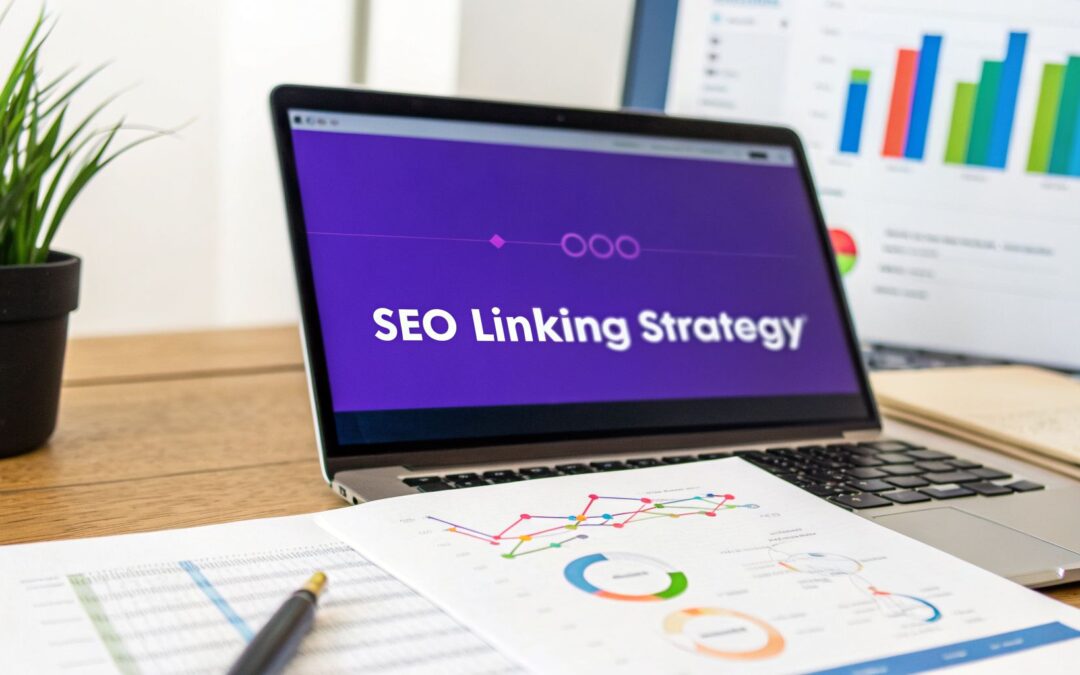
The diagram below breaks down the core parts of a complete SEO linking strategy, showing how internal and external links work together to build a strong online presence.

As you can see, while external links are like bridges bringing authority to your site, your internal links act as the road system, distributing that authority within it. You need both for your SEO strategy to really work.
Structuring Content with Topic Clusters
One of the most powerful ways to organize your internal links is by using topic clusters. This model is pretty simple: you create a central "pillar page" that covers a broad topic in-depth. Then, you link out from that pillar to several "cluster pages" that explore related subtopics in more detail.
For a Divi web designer, a pillar page might be something like "The Ultimate Guide to Divi Theme Customization." The cluster content could then be individual articles such as:
- "How to Master Divi's Theme Builder for Custom Headers"
- "Customizing WooCommerce Product Pages with the Divi Builder"
- "Advanced CSS Tricks for Divi Modules You Need to Know"
Crucially, each of these cluster articles must link back to the main pillar page. This structure sends a clear signal to Google that your pillar page is the definitive authority on that subject, while also giving users a seamless way to dive deeper into what interests them.
Mastering Anchor Text for Better UX
The clickable text of a link, known as anchor text, is a small but mighty part of your internal linking strategy. It gives both users and search engines critical context about what they'll find on the other side of that click. Using vague anchor text like "click here" or "read more" is a huge missed opportunity.
Instead, you should always use descriptive anchor text that naturally fits into your sentence. For example, rather than writing, "For more information, click here," you should write, "You can learn more about our Divi website design services." It's far more helpful and gives a boost to both user experience and your SEO.
The goal is to make your anchor text a natural, helpful part of the sentence. It should accurately describe what the user will find when they click, creating a predictable and trustworthy experience.
This thoughtful approach pays off. Well-executed SEO campaigns can deliver an 8x return on investment, doubling the 4x ROI of typical PPC campaigns, and often become profitable within just 6-12 months. Divi and WooCommerce managers, for instance, can even earn valuable links from performance marketing blogs by showing how they've boosted retention with Divi Areas Pro features like back-button detection popups. You can dig into more of these fascinating trends and valuable link-building statistics on HeroicRankings.com.
Actionable Internal Linking for Divi and WooCommerce
For anyone using Divi and WooCommerce, internal linking is a direct path to higher engagement and more sales. A well-placed link can guide a reader from an informational blog post straight to a relevant product page, dramatically shortening the journey to a purchase.
Imagine you've written a tutorial on "How to Create an Exit-Intent Popup." It's a no-brainer to link from that post directly to a page explaining the exit-intent trigger feature in Divi Areas Pro. This instantly connects a user's problem with your solution. By strategically linking your high-value pages, you essentially create a guided tour that highlights your most important content and helps turn casual visitors into loyal customers.
If internal links are the skeleton that holds your website together, then external links—or backlinks—are the endorsements that give it authority in the real world. Think of it this way: every time another website links to yours, it’s like they’re giving you a public vote of confidence. When a reputable site points to your content, it’s essentially telling Google, "Hey, this page is a valuable resource worth paying attention to."
This isn't just a hunch; it's a core principle of how search engines have always worked. The more high-quality votes of confidence you gather, the more trustworthy and authoritative your site becomes. It's no surprise that top-ranking pages almost always have a much stronger backlink profile than the competition.

The data really drives this point home. Studies show that the number one result in Google has, on average, 3.8 times more backlinks than the pages ranking in positions two through ten. And here's the real opportunity: a staggering 95% of all web pages have zero backlinks pointing to them. This means that even a handful of quality links can give your Divi site a massive advantage, especially when you’re building interactive experiences with Divimode plugins.
Create Content That Deserves to Be Linked
So, how do you get these powerful backlinks? The secret isn't some shady tactic or complicated trick. It’s all about creating linkable assets—pieces of content so genuinely useful, unique, or interesting that other creators actually want to reference them. Forget begging for links; the goal is to create content that earns them on its own merit.
What exactly does a linkable asset look like? Here are a few formats that consistently attract links:
- In-depth Guides and Tutorials: A truly comprehensive guide that solves a nagging problem for your audience is link-bait gold. It becomes the definitive resource people are happy to point to.
- Original Research and Data: If you conduct your own surveys, analyze industry trends, or compile unique statistics, you create a one-of-a-kind source that others will have to cite when they discuss the topic.
- Free Tools and Calculators: A simple but effective tool—like an ROI calculator or a headline generator—can attract an incredible number of backlinks over time simply because it provides real, tangible value.
- Compelling Case Studies: A detailed case study packed with real numbers that shows off a client's success provides powerful social proof and is highly linkable for industry blogs and news sites.
For Divi and WooCommerce site owners, a perfect example would be publishing a detailed case study titled something like, "How We Boosted Conversions by 47% Using Divi Areas Pro." This kind of specific, results-driven content is a magnet for links from marketing blogs, Divi communities, and e-commerce forums.
Quality Over Quantity Is the Golden Rule
In the world of link building, not all links are created equal. This is a critical distinction. Getting it wrong is what separates a successful SEO linking strategy from one that goes nowhere.
One single backlink from a highly respected industry authority like the official Divi blog is exponentially more valuable than one hundred links from low-quality, spammy, or irrelevant websites.
Your energy should be laser-focused on earning links from sites that are:
- Relevant: The site linking to you should be in your niche or a closely related field.
- Authoritative: The site should have a strong reputation and its own healthy backlink profile.
- Trusted: It should be a legitimate source of information, not a spam farm or a worthless link directory.
Shifting to this mindset is crucial. Building real authority is a marathon, not a sprint, and it demands a deliberate focus on creating genuine value. If you're looking for more on the nuts and bolts of this, our guide on https://divimode.com/off-page-seo-the-right-way/ dives deeper into the topic.
The Art of Ethical Outreach
Once you’ve created a fantastic linkable asset, you can’t always just sit back and wait for the links to come pouring in. Sometimes, you need to give it a little nudge. Proactive, ethical outreach is often the catalyst that gets the ball rolling. This simply means finding websites, bloggers, or journalists who would find your content genuinely useful for their audience and respectfully letting them know it exists.
To really nail this, mastering a few key backlink outreach strategies is essential. The goal is never to beg for or demand a link, but to build a real relationship and offer value. A personalized email that shows you’ve done your homework and explains why your resource is a great fit for their readers can go an incredibly long way.
Executing Your Linking Strategy with Divimode Tools
Knowing the theory behind linking is one thing. Actually putting it into practice is what builds real authority and gets results. This is where your linking strategy stops being a plan on paper and becomes a living, breathing system working for you around the clock on your Divi website.
With the right tools, you can move beyond simply dropping links into your blog posts. We’re talking about transforming static pages into smart, interactive experiences that guide users, build a powerful internal link network, and boost your site's SEO. Let’s dive into two powerful techniques using Popups for Divi and Divi Areas Pro.

Boosting Engagement with Exit-Intent Popups
A visitor who is about to leave your site is a huge missed opportunity. But with a well-timed exit-intent popup, you can turn that moment into a strategic win for your internal linking. The technique is simple: it detects when a user’s cursor moves toward the browser's close button and triggers a popup at just the right moment.
Instead of a generic "Please Don't Go!" message, you can use this opportunity to serve up hyper-relevant content. Imagine a user just finished your article on "Advanced CSS Tricks for Divi." As they’re about to leave, a popup appears: "Wait! Before you go, check out how to Animate Divi Modules with Custom Code."
This single, simple action achieves three key goals at once:
- It builds a relevant internal link that search engines will discover and value.
- It keeps the user on your site longer, which reduces your bounce rate and sends great engagement signals to Google.
- It guides the user's journey, showing off your expertise and leading them to even more helpful content.
Using Popups for Divi, you can build these contextual popups right inside the Divi Builder. The trick is to make the offer incredibly specific and genuinely helpful, turning a potential bounce into another valuable page view.
Setting this up is surprisingly easy. You design your popup in Divi, add a catchy headline and a button linking to the related article, and then set the trigger to "On Exit-Intent." To get the best results, use display conditions so the popup only appears on specific posts or categories. This makes your recommendation feel personal and much more effective.
Injecting Dynamic Links with Divi Areas Pro
Popups are fantastic for grabbing attention, but sometimes a more subtle approach is what you need. This is where the content injection feature of Divi Areas Pro becomes a total game-changer for your SEO linking strategy. It lets you dynamically insert a block of content—what we call an "Area"—anywhere on your site based on rules you define.
For a WooCommerce store, this is incredibly powerful. You could automatically inject a small banner with a link to your "Sizing Guide" at the bottom of every product page in your "Apparel" category. Or, you could insert a link to a detailed case study within all relevant blog posts, completely automatically.
This screenshot shows just how granular the targeting rules in Divi Areas Pro can be.
These controls allow you to place your internal links with surgical precision, ensuring they always show up in the most contextually relevant places without you ever having to lift a finger.
This approach brings some serious advantages to your linking strategy:
- Scalability: You can add a crucial internal link to hundreds of pages at once, without ever touching a single page editor.
- Consistency: It guarantees your most important pillar pages are consistently linked from all their supporting content across your entire website.
- Easy Maintenance: If a URL ever changes, you only need to update the link in one "Area," and that change instantly applies everywhere it's displayed.
This method is perfect for promoting cornerstone articles, helpful tutorials, or high-value service pages. For example, you could create an Area that links to your "Divi Maintenance Services" page and set it to appear only on blog posts tagged with "Divi Speed Optimization." It’s an automated, intelligent way to build a rock-solid internal link structure.
And don't forget, you can learn more about how to include Divi Areas in search results to give them even more SEO juice. By combining these smart tools, you’re not just adding links—you’re creating a powerful, self-sustaining system that strengthens your entire SEO foundation.
Common Linking Mistakes That Sabotage Your SEO
Building a solid linking strategy is one of the best ways to earn authority with Google. But it's just as easy to undo all that good work with a few common mistakes. Even with the best intentions, some simple errors can send all the wrong signals to search engines and tank your rankings.
Think of it like building a beautiful house only to discover the foundation is full of cracks. These mistakes are often subtle, but they can put a serious cap on your site's potential. By knowing what to look out for, you can keep your linking efforts clean, effective, and built to last.
Letting Your Links Break
One of the most damaging—and common—errors is letting your links break. These are links pointing to a page that doesn’t exist anymore, which leads to a 404 "not found" error. For a user, it's a dead end and a seriously frustrating experience. For search engines, it’s a big red flag that your site is out of date or poorly maintained.
Every broken internal link also creates a dead end for your link equity. All the authority that should be flowing from one page to another just vanishes. Regularly auditing your site for broken links isn't just a good idea; it's a non-negotiable task for any serious website owner.
You can easily track these down with tools like Google Search Console or other site audit software. The fix is usually straightforward:
- Update the link: Just point it to the new, correct URL.
- Remove the link: If there’s no longer a relevant page to link to, get rid of it.
- Redirect the old URL: If you moved a page, set up a 301 redirect from the old URL to the new one. This is crucial for preserving your hard-earned link equity.
Using Generic Anchor Text
The clickable words in a hyperlink, known as anchor text, give essential context to both your readers and search engines. A huge and all-too-common mistake is using generic, unhelpful phrases.
Vague anchor text like "click here" or "read more" is a massive missed opportunity. It tells search engines absolutely nothing about the destination page, watering down the SEO value of the link and giving zero context to your readers.
Instead, your anchor text should always be descriptive and fit naturally into the sentence. For example, instead of writing, "For our full guide, click here," a much better approach is, "Check out our full guide on customizing Divi theme options." This simple change makes your links more powerful and your content far more user-friendly.
Chasing Link Quantity Over Quality
In the world of backlinks, there's one golden rule: quality over quantity. Far too many site owners fall into the trap of trying to grab as many links as they can, no matter where they come from. This is a dangerous game that can easily get you penalized by Google.
A single link from a well-respected, relevant site in your industry is worth more than hundreds of links from spammy directories or random blogs. Steer clear of these classic temptations:
- Buying links: Purchasing links from link farms is a direct violation of Google's guidelines and a fast track to a penalty.
- Excessive link exchanges: Constantly swapping links with sites that have nothing to do with yours looks manipulative and unnatural.
- Spammy comments: Dropping your link in the comment section of unrelated blogs is a waste of time and just looks unprofessional.
Focus your energy on earning high-quality links from authoritative sources. That’s the real foundation of a linking strategy that will stand the test of time.
All the link-building in the world means nothing if you can't tell whether it's actually working. A strategy without measurement is just guesswork. To prove your SEO linking efforts are paying off, you have to look past simple link counts and connect the dots to real business results—like more traffic, better rankings, and ultimately, more sales.
Think of it like training for a marathon. You don't just run and hope for the best; you track your pace, your distance, and your heart rate to see if you're getting faster and stronger. In SEO, our key performance indicators (KPIs) do the same job, giving us cold, hard data to show what’s moving the needle and where we need to pivot.
Key Metrics for Tracking Your Success
To get the full story of your linking strategy's performance, you need to watch a mix of link-specific numbers and bigger-picture SEO metrics. Together, they paint a picture of how your site's authority is growing and how that growth translates into real visibility.
Here are the essential metrics you should have on your dashboard:
- Referring Domains: This is the number of unique websites linking back to you. Seeing this number grow is often more valuable than just getting more backlinks from the same few sites. It shows you're earning trust from a wider audience.
- Backlink Growth: A steady, consistent increase in quality backlinks tells Google your site is a credible resource that’s gaining momentum over time. Spikes are okay, but consistency is king.
- Organic Traffic: This is the big one. Are more people finding you through Google? You'll want to track overall organic traffic, but get more granular and look at the traffic going to the specific pages you're building links for.
- Keyword Rankings: Keep a close eye on the search rankings for your target keywords—the ones associated with the pages you're promoting. When those rankings start climbing, you know your links are doing their job.
A successful linking strategy doesn't just collect links like trophies. It uses them to hit measurable business goals. The most powerful report you can show a client or your boss is one that draws a straight line from a new backlink to a sustained jump in organic traffic and conversions for a key page.
Tools for Measuring Your Impact
You can’t track what you don’t measure, and thankfully, there are some incredible tools out there to give you the data you need. While many have overlapping features, they each bring something unique to the table. I find a mix of free and paid tools gives the most complete view.
Here's a quick look at the essential metrics and the go-to tools for monitoring them.
Key Metrics for Tracking Linking Success
| Metric | What It Measures | Recommended Tool |
|---|---|---|
| Referring Domains & Backlinks | The quantity and quality of sites linking to you. | Ahrefs, SEMrush, Google Search Console |
| Organic Traffic & Conversions | The number of visitors from search and the actions they take. | Google Analytics 4 (GA4) |
| Keyword Rankings | Your site's position in search results for specific queries. | SEMrush, Ahrefs, Google Search Console |
These tools provide the raw data, but it's up to you to turn that data into a story of progress and ROI.
For those running a WooCommerce store, this is where it all comes together. The most critical step is to connect your linking efforts directly to your bottom line. By setting up proper conversion tracking in Google Analytics, you can see exactly which pages—boosted by your awesome linking strategy—are driving actual revenue. This is how you transform SEO from a "cost" into a clear-cut profit driver that any stakeholder will understand and appreciate.
Frequently Asked Questions About SEO Linking
As you dive into the world of SEO, linking is one of those topics that always brings up a ton of questions. If you're running a Divi or WooCommerce site, you probably have some very specific ones. Let's tackle some of the most common queries we see all the time.
How Many Internal Links Should I Add to a Page
This is a classic question, but there’s no magic number. The real key is to forget about quotas and focus entirely on user value and context. Ask yourself: does this link genuinely help someone discover more relevant information?
As a general rule of thumb, for a typical 1000-word article, aiming for 3-5 highly relevant internal links is a solid starting point. Make it a priority to link out to your most important "pillar" pages or other content that provides helpful context. Always choose purpose over quantity; a single, perfectly placed link is far more powerful than ten random ones.
Is Guest Posting for Backlinks Still a Good Strategy
Yes, absolutely—but only when it's done right. Guest posting on high-authority, topically relevant websites in your niche is still a fantastic part of any modern SEO linking strategy. It's one of the best ways to earn valuable backlinks while building your brand's authority at the same time.
The crucial part, however, is the emphasis on quality. Stay away from low-quality sites or blogs that have nothing to do with your industry.
The goal of guest posting isn't just to snag a link; it's to provide genuine value to another site's audience. When you focus on delivering real expertise, that authoritative backlink becomes a natural byproduct of your effort.
How Can I Get Backlinks for My WooCommerce Product Pages
Trying to build backlinks directly to product pages is notoriously tough. Most sites see them for what they are—commercial, not informational—and are reluctant to link to them. A much smarter approach is to create "linkable" supporting content that revolves around your products.
Think about creating a detailed buyer's guide, an in-depth product comparison, or a compelling case study that shows how a customer found success with your product. This kind of high-value content attracts links naturally from blogs and resource pages. From there, you can easily channel that authority by linking from your guide directly to the relevant WooCommerce product page.
Ready to turn these linking strategies into reality on your Divi site? Divimode provides the tools you need. With Divi Areas Pro, you can create dynamic popups and inject relevant internal links across your site automatically. Get started today and build a smarter, more connected website. Learn more at Divimode.
More Articles You Will Like